Support Impersonation Security Testing for SaaS
In the week before an enterprise rollout, the support team asks to enable a new “act as user” button. A customer administrator has reported that an invoice won’t load, and reproducing the problem from the customer’s view would save a round of screen sharing. In the demo, a support employee opens the right account and finds the invoice. The customer’s security reviewer asks two follow-up questions. Could the same employee export every invoice in the workspace? If a refund appears later, would the audit log name the employee who initiated it?
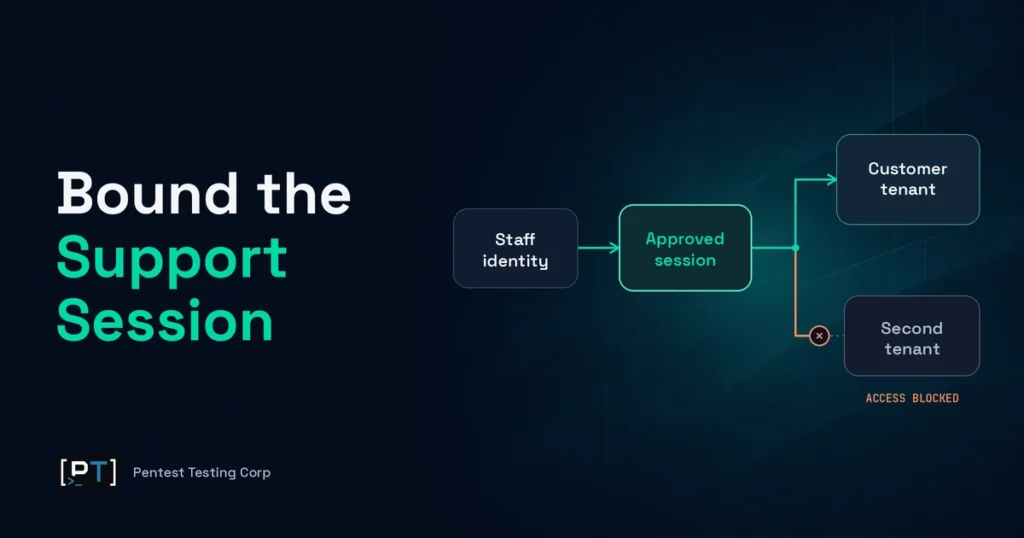
Support impersonation security testing gives the release owner evidence to answer those questions. It follows an authorized staff session from approval through termination, checking what the employee can see or change, which tenant the approval covers, and what the product records about each sensitive action. The goal is to approve a useful support task with a known scope, a definite end, and a record the customer and your team can rely on.
Set authority before the session starts
An act-as-user session lets a named staff member work in a customer’s product context without changing the customer’s credentials. The employee remains the actor. The customer user is the subject whose view or account the session uses, and the tenant defines the customer environment the approval covers. A single user may belong to several workspaces. Approving work for that user in one workspace should grant only the access authorized for that workspace and task.
Begin with a small set of real support cases. Viewing the status of an invoice, diagnosing why a setting is unavailable, and correcting a failed job can require very different access. For each case, record the business reason, eligible staff role, tenant, subject, allowed actions, approval owner, time limit and events that end the session. Assign sensitive operations such as issuing refunds, changing authentication settings or taking ownership of an account to their own workflows when those operations need a separate approver. The support team should be able to explain when opening a customer session adds value and when a diagnostic view or a guided customer action is sufficient.
Staff single sign-on, MFA and a help desk ticket each address part of the problem. They establish who signed in, how the employee authenticated and why someone asked for help. The approval still has to govern the access the product grants. Confirm that an employee from the right team can start the agreed task and that an unapproved employee, an expired approval or a tenant that has disabled support access is denied. For outsourced support, use named identities and include the contractor’s actual queue and role restrictions in scope. Access tied to a shared account weakens the ability to investigate a disputed action.
Scope this as web application penetration testing when the staff console, customer UI and backing APIs all affect the same approval. If a task requires resetting MFA, changing a verified address or restoring sign-in, use the separate approval model for support-assisted account recovery. That workflow changes who can sign in and therefore has different acceptance criteria.
Support impersonation security testing scope matrix
Use this matrix in a statement of work or release review. For each row, pair a permitted support task with a nearby action that should be denied. Record the expected business outcome before testing begins. If the owner can’t say whether a delegated session should allow a particular read, write or tenant transition, resolve that policy choice before treating the result as a pass or failure.
| Stage | Required behavior | Evidence to accept |
|---|---|---|
| Start and approval | Only an eligible, named employee can start a session for the approved case, tenant and customer account. | An approved start and a denied out-of-policy start, each tied to its approval state and outcome. |
| Read and write | The employee can complete the permitted task. Sensitive data and privileged actions stay outside the grant unless explicitly approved. | A completed support task, a denied restricted action and confirmation of no unintended business effect from that denied action. |
| Tenant or account change | The existing grant cannot silently follow a new tenant or subject. Any permitted transition requires authorization for the new target. | Denial outside the approved context, or a separately authorized transition with an identifiable new approval and evidence trail. |
| End and revocation | Explicit exit, expiry and agreed revocation triggers stop new delegated work within the approved time window. | Last allowed action, termination trigger and first confirmed denial, covering the in-scope app and downstream paths. |
| Action attribution | Records identify the employee, customer subject, tenant, action and outcome, linked to the delegated session. | A reviewer can reconstruct the sampled event from the approval, audit entries and business record where applicable. |
Record actual outcomes at the level a release owner can use. An export denied in the product should leave no export job or downloadable file from the denied request. A blocked change should leave the relevant record untouched. A readable screenshot helps demonstrate what the employee saw. An application event, downstream record or state check establishes what the product actually did. Keep both types of evidence when the difference matters to the decision.
Bound actions and tenant transitions
A customer administrator’s permissions can be wider than anything support needs. Approve an explicit list of allowed support actions, including which data fields are visible and which operations can change customer state. “Read-only” can still expose sensitive information through downloads or broad searches, so decide separately whether the employee can view personal information, see billing details, retrieve attachments or export records. A support employee may need the status of one invoice to solve a ticket, while a bulk history download has a different business impact.
Check the product surfaces that perform the work. The console might hide a refund button while the application service still needs to enforce the same restriction when acting in a delegated session. Billing jobs, administrative APIs, exports and partner integrations belong in scope when the support session can reach them or initiate work through them. Start with flows that expose sensitive data, change ownership, alter security settings or create financial effects. Each extra surface should answer a specific policy question.
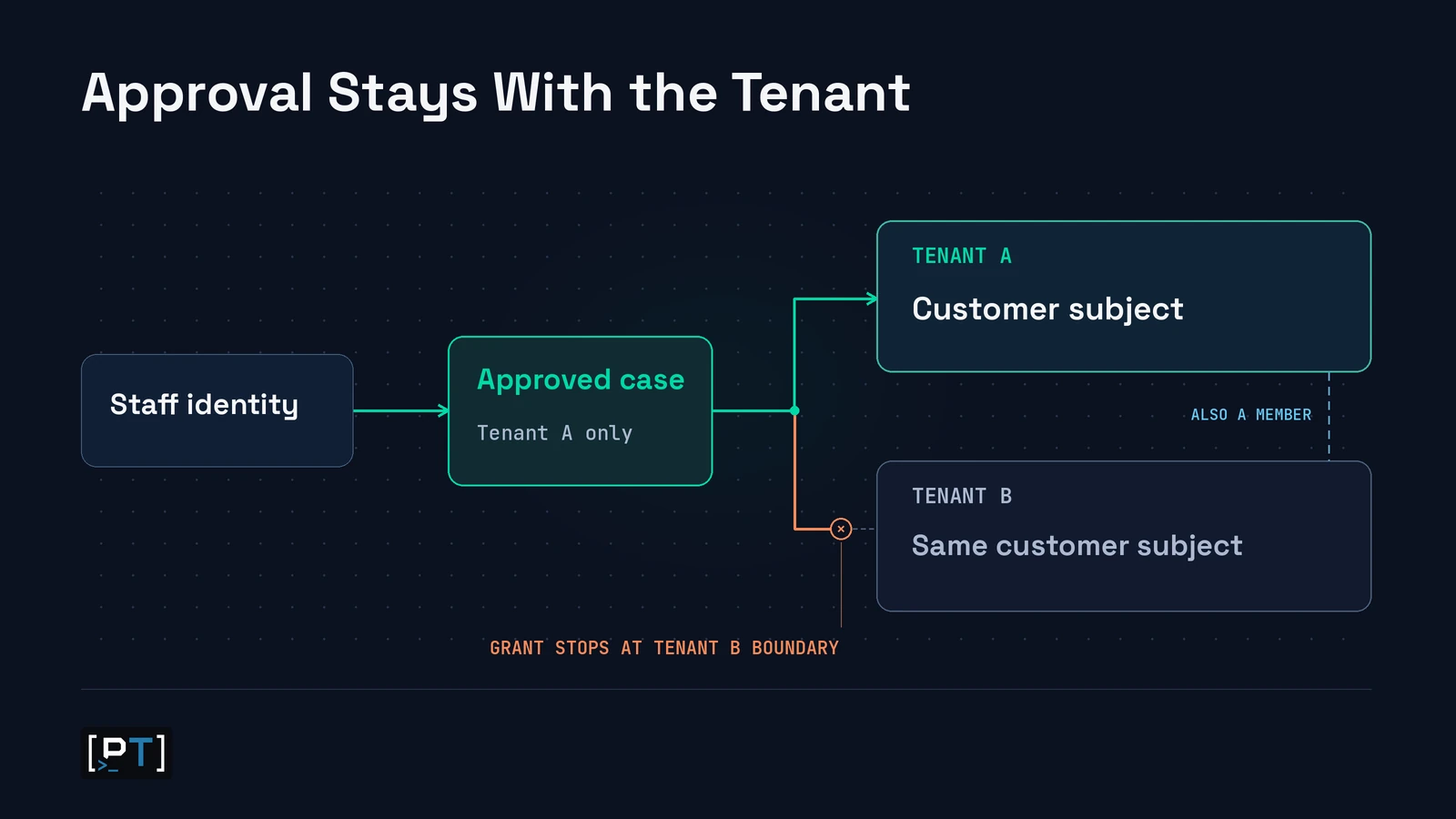
Tenant and account changes deserve explicit decisions. A customer administrator may have access to two subsidiaries or a production and training workspace. A case approved for one context should stay within it even when the subject has legitimate access elsewhere. Include both a different tenant and a different customer account within the same tenant. They exercise different boundaries. Where the wider product needs coverage of ordinary user roles and record ownership, use a separate multi-tenant SaaS authorization testing scope.
A billing dispute in a hypothetical SaaS rollout
A subscription platform lets support staff view invoice status for a named account in one workspace. During a controlled pre-release assessment with fictional data, the team confirms that invoice viewing works. It also observes that the delegated session can create a refund outside the approved support purpose. The billing record shows the customer administrator as the initiator, leaving finance without a reliable answer when the customer disputes the credit. This scenario represents potential financial and audit consequences. It describes no client engagement.
The product owner can preserve the intended support capability by approving invoice diagnosis only and putting refunds through the existing billing approval flow. A release retest would confirm that invoice viewing still works, the restricted action creates no refund or downstream side effect, and the records for approved staff activity name the support employee. If attribution remains incomplete, scope the rollout to capabilities for which the company can reconstruct staff activity, or hold the feature until that evidence is available.
Prove that delegated access ends
A visible “End session” control is useful for the employee. The release question is when the application and the services it can reach stop honoring delegated work. Define idle and absolute limits based on the task and data exposure. Decide which business events revoke the grant, such as explicit exit, ticket closure, approval withdrawal, loss of the staff role or customer suspension of support access. Agree on the maximum time each relevant service may take to enforce the change. Record the observed interval instead of describing revocation as immediate when the system has propagation time.
Distinguish new access from work the employee legitimately started before the cut-off. A job that updates records or creates a downloadable report may outlive a browser session. The owner should decide whether approved work can finish, must be cancelled, or must be held for another review. Include access to any resulting file or record in that decision. Revocation can stop a new request while the result of an earlier approved action still needs its own handling policy.
Review the named employee’s ordinary staff session and the subject’s ordinary customer session as well. Ending one delegated grant should leave those sessions in the documented state. For example, the employee may return to the support queue while the customer keeps working. If security needs to stop every active grant held by a departing staff member, verify that administrative action against more than one open support session. The broader SaaS token lifecycle testing guide covers issuance, refresh and revocation beyond this workflow.
For release evidence, establish when the approval ended, what each sampled service allowed before that point, and when each service denied new delegated work. Include the tested role, tenant, deployment configuration and any excluded downstream path. That record helps support and security agree on what they can promise if an employee mistakenly opens the wrong account or a customer withdraws permission mid-case.
Support impersonation security testing evidence and frameworks
Sample records from the approval system, application and any downstream service that performs a sensitive action. A reviewer should be able to answer who actually acted, which customer and tenant were affected, what happened, when it happened and what authorized it. Use a non-secret correlation reference that links the action to the support session and case. Capture the named actor and subject, tenant, action, timestamp and outcome. Include the reason for access and relevant approval or policy reference where they can be shared safely. Keep credentials, raw session tokens and unnecessary customer content out of the evidence.
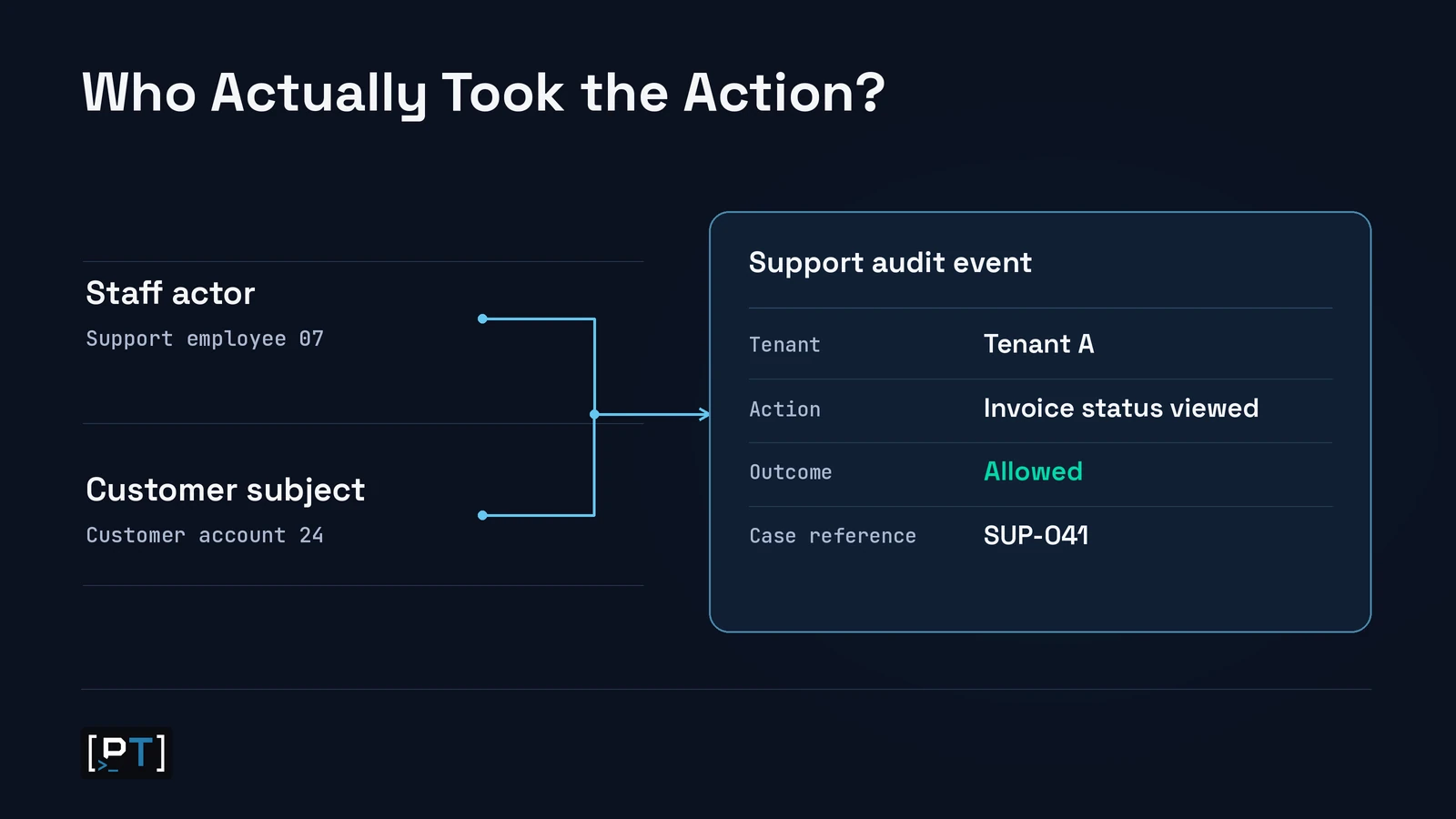
Logging the start and end of the session proves that it existed. It gives only part of the account needed to resolve a complaint about who saw a sensitive record or changed a setting. Sample the audit event next to the actual operational record, such as the billing entry or change history. If a background service executes approved work, preserve who initiated it and which service performed it. Decide who can read the records, what the customer should see, how long the evidence is retained and who investigates missing or inconsistent events. OWASP’s Logging Cheat Sheet provides guidance on event context and sensitive data handling.
Map the test to the relevant controls in the report:
- OWASP Top 10 A01:2025 Broken Access Control covers the broader question of whether the application enforces the approved support boundary.
- OWASP API1:2023 Broken Object Level Authorization applies to records and accounts outside the approved context. OWASP API5:2023 Broken Function Level Authorization applies when a delegated session should be barred from a privileged function such as exporting records or changing roles.
- The OWASP Session Management Cheat Sheet provides guidance on timeout and server-side session invalidation. Translate that guidance into measurable outcomes for termination and each sampled service.
- The AICPA’s Trust Services Criteria provide reference points for SOC 2 logical access under CC6 and monitoring and anomaly detection under CC7. A scoped test can support the review of those controls. The auditor evaluates the broader controls and applicable examination period.
For procurement, produce a short coverage statement with roles and tenant types tested, the approved tasks, the key restrictions and the status of exceptions or retests. Share scrubbed sample records where useful. Keep the statement specific to the product version and scope so a reader can tell which customer configurations were included.
What leadership should decide before rollout
Before asking for a quote, provide a staff role inventory, representative tenants and a list of supported tasks, including any write actions. Add the approval path, the services that enforce the grant, the places where evidence lands and how you expect offboarding or emergency revocation to work. Start with two distinct tenant examples, including a user with multiple memberships if your product supports them. Agree who will provide test identities and comparable configuration, and who will resolve ambiguous results. These inputs help set a testing window around the work the team can actually validate.
A single read-only task with one staff role and one application service usually has fewer scenarios than a console shared by employees and contractors across multiple products. Variable customer policies, privileged writes, asynchronous work and separate audit systems increase the combinations to test and the coordination needed for fixes. A policy change may be enough where the product already carries the staff actor and enforces scoped permission. If services collapse the employee and customer into one identity, splitting those responsibilities can require changes across authorization, session handling and logging. Ask the scope owner to distinguish test effort from potential engineering work and to reserve time for retesting.
Ask the assessor to distinguish a control that passed from a scenario the team could not verify. If the billing sandbox lacks the production approval policy, for example, a denial in the sandbox only supports the configuration tested. If a downstream audit destination is missing from staging, the team can still assess the application event and record the delivery path as pending. Assign these gaps to owners before the release review so a coverage limitation has a decision and a follow-up date.
Keep retest acceptance tied to the support task as well as the restriction. A fix that blocks invoice exports should still let a named employee diagnose the approved invoice and should preserve attribution in the customer’s audit record if that record is part of the commitment. This prevents release sign-off from depending on a control change that closes the finding by breaking the agreed workflow.
Agree which failures block launch. Cross-tenant access, a restricted high-impact action that succeeds, missing attribution for sensitive work or a grant that remains usable beyond its approved limit merit a release decision. If the product can enforce a narrower rollout, document the eligible tasks and tenants, assign an owner to check the restriction, and set the date for reassessment. Security should sign off on the evidence, support operations on the approved use cases, and the product owner on residual risk and rollout scope.
Approve the feature when you can show what a named employee could do, where that authority applied, when it ended and what the records would tell a reviewer. Bring your role list, tenant model and highest-risk support task if you’re preparing a launch or responding to an enterprise access review. You can book a support-console scoping call to discuss the roles, actions and evidence your assessment should cover.
Frequently asked questions
Do we need to test view-only support access?
Yes. View-only support can still expose restricted fields, attachments or bulk data. Ask the assessment to distinguish what staff can see on screen from what they can retrieve or generate through the services behind the view.
Can we test the workflow without using live customer accounts?
Yes, if a representative environment has synthetic tenants, named test staff and comparable identity, permission and audit settings. Document differences that materially affect the results. Where a production-only integration or policy needs validation, agree on a narrow verification using authorized test records and access.
How should customer consent or notification be in scope?
Test the commitments made for the customer and feature under review. If consent is required, include withheld and withdrawn approval. If notification is part of the agreed workflow, test the recipient, timing and information disclosed. A notification record and an authorization decision prove different things.
Should emergency impersonation use a separate test case?
Yes. Give emergency access its own approval or activation rules, expiry, monitoring and post-use review. Verify who can activate it, what access it grants and whether the evidence distinguishes emergency use from routine support.
What should the customer receive after a support session?
Provide the evidence agreed in the customer policy or contract. A customer-facing summary can identify the case reference, affected tenant, time window and actions taken. Define which staff identifiers and internal details the customer may see and retain a fuller internal record for authorized investigation.
When should we retest an already approved support console?
Schedule a targeted retest when you add a staff role, change tenant switching, permit a new sensitive action, move revocation to a different service or revise the audit pipeline. Tie the retest to the changed permission and adjacent controls that rely on it.