Mobile App Penetration Testing Guide: iOS vs Android
Introduction
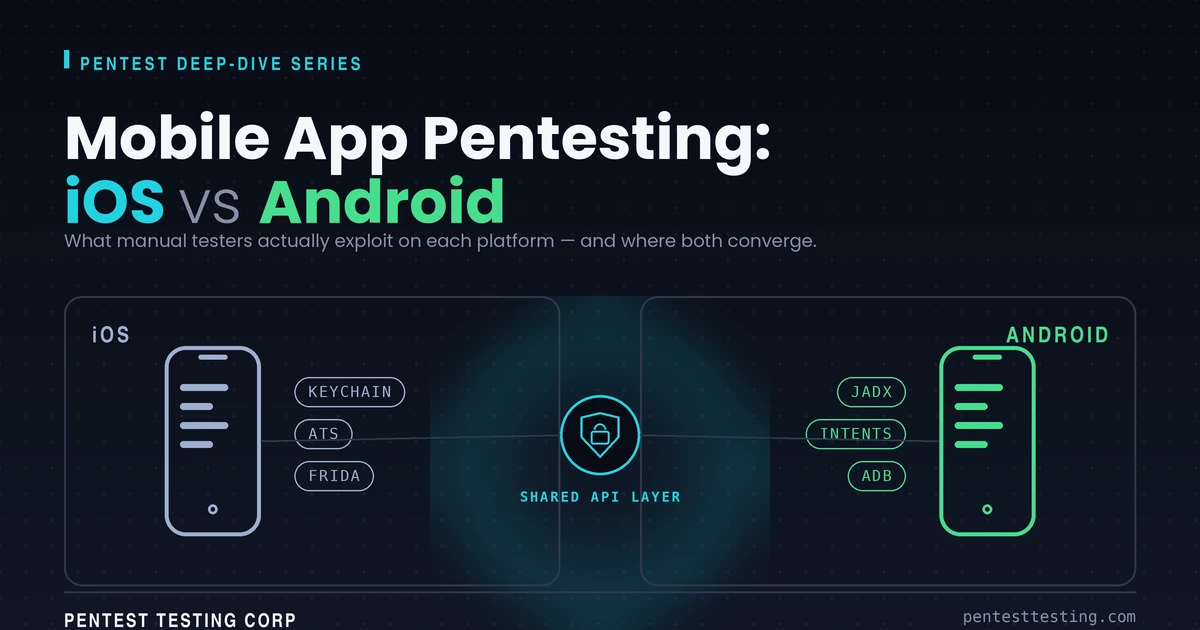
Roughly 75% of mobile applications fail basic security tests on first engagement. That figure holds across industries, from fintech to consumer healthcare, and it comes up consistently in the assessment history at Pentest Testing Corp. The more instructive finding, though, is where they fail. iOS apps and Android apps break differently. The attack surface diverges at the operating system level, runs through each platform's data storage model, and converges at the shared API backend where the most critical vulnerabilities usually live.
Automated scanners flag outdated libraries and CVE matches. What they can't do is chain a leaking Keychain entry to a broken OAuth flow, or exploit an unprotected Android ContentProvider to extract authentication tokens. That requires a human tester who understands platform architecture at the runtime level, knows how to instrument a live process with Frida, and can read DEX bytecode output from jadx well enough to find what obfuscation tried to hide.
This guide covers the platform-specific attack surfaces our team tests across every mobile engagement, how they differ between iOS and Android, where they intersect, and what the testing methodology looks like end to end. If you're a CTO, DevSecOps engineer, or security lead preparing a mobile app for production or compliance review, this is what your tester should be doing.
New post: Direct Prompt Injection Examples, a look at real-world techniques attackers use to manipulate AI systems through direct prompt injection, with practical examples and mitigation tips.
Why iOS and Android Are Fundamentally Different Attack Surfaces
Apple and Google built their mobile operating systems on different security philosophies, and those philosophical differences have direct consequences for how a penetration tester approaches each platform.
iOS is a closed ecosystem. App review, mandatory code signing, hardware-backed encryption via the Secure Enclave, and strict inter-app isolation are enforced at the OS level. The sandbox is difficult to break from the outside, so iOS pentests focus heavily on what the app exposes intentionally: Keychain entries, URL scheme handlers, shared data containers, and ATS exceptions. The vulnerabilities are often more subtle than on Android.
Android was built for openness. Sideloading is permitted. Third-party stores exist. The device ecosystem spans hundreds of manufacturers, dozens of OS versions, and wildly inconsistent security patch states. The IPC (Inter-Process Communication) model is richer and far more complex. Android apps can export Activities, Services, BroadcastReceivers, and ContentProviders to other applications, sometimes accidentally, and each of those components is a potential entry point.
Sandboxing Models: What the Difference Means in Practice
iOS runs each app in a kernel-enforced sandbox. Apps cannot access each other's data directly; inter-app communication goes through URL schemes, App Groups with explicit entitlements, and the system Pasteboard. Each of those communication channels is testable. The sandbox boundary is hard to cross without jailbreak, which is exactly why iOS pentests begin by establishing a jailbroken test environment.
Android's sandbox is also kernel-level, but the IPC model introduces far more exposure. An Activity exported without a permission requirement in AndroidManifest.xml can be launched by any other application on the device. If that Activity loads sensitive data or handles authentication state, it's a bypass of the app's entire login flow. We've triggered this exact scenario in production fintech apps with a single adb shell am start command.
File System and Data Storage Architecture
iOS app containers have a defined directory structure: /Documents, /Library, /Library/Application Support, /Library/Caches, and /tmp. Testers review every directory for misplaced sensitive data, cached API responses in cleartext, and screenshots captured by the OS during app backgrounding (a well-documented iOS behavior that stores the last frame of the app as a PNG in the app's snapshot directory).
Android storage is considerably more fragmented. Apps can write to internal storage at /data/data/com.example.app/, external storage accessible by any app holding READ_EXTERNAL_STORAGE, Shared Preferences XML files, SQLite databases, Room database files, and the system Keystore. Each location has different access controls, different backup behavior, and different exposure to other apps on the device.
The platform difference now extends to OS-level AI action frameworks. Our agent-actionable mobile app security testing guide covers App Intents, AppFunctions, UI automation, action discovery, confirmation, and end-to-end authorization without repeating the conventional mobile test methodology below.
iOS Penetration Testing: What Manual Testers Actually Target
Automated SAST tools find some iOS issues. The three vulnerability classes that generate critical findings in our iOS assessments aren't in any scanner's default ruleset.
Keychain Extraction and Accessibility Misconfigurations
The iOS Keychain is the correct storage location for credentials, tokens, and cryptographic keys. The problem is kSecAttrAccessible, the attribute that controls when a Keychain item can be read. Setting this to kSecAttrAccessibleAlways means the item is readable even when the device is locked and before first unlock after reboot. On a jailbroken device, keychain-dumper or the Keychain module in objection extracts every accessible item in under 60 seconds.
The right value for most use cases is kSecAttrAccessibleAfterFirstUnlockThisDeviceOnly, which restricts access to after the device has been unlocked at least once and ties the item to the specific device. We regularly find bearer tokens and refresh tokens stored with kSecAttrAccessibleAlways in apps that passed automated SAST without a single related finding.
Jailbreak Detection Bypass
Production iOS apps almost universally implement jailbreak detection. Most implementations check for the presence of known jailbreak artifacts: /Applications/Cydia.app, /usr/sbin/sshd, MobileSubstrate.dylib, or write access to paths outside the app sandbox. All of these checks happen via standard APIs, which means they're hookable at runtime.
The standard bypass uses Frida to hook NSFileManager fileExistsAtPath: and return NO for any path the app is checking. More sophisticated implementations call stat() directly or use multiple layered checks across the app's lifecycle. Tools like Liberty Lite and Shadow handle common detection patterns on device, but custom implementations need manual Frida scripts targeting the specific check logic. The finding isn't whether detection exists; it's whether it's resilient enough to add meaningful friction.
Binary Protections and Runtime Instrumentation
iOS apps distributed via the App Store are encrypted with FairPlay DRM. Before static analysis is possible, the binary needs to be decrypted. On a jailbroken device with Frida server running, frida-ios-dump or bagbak pulls the decrypted binary from memory during runtime.
The decrypted binary loads into Hopper Disassembler or IDA Pro for static analysis. Targets include hardcoded credentials, embedded API keys in the __DATA or __TEXT segments, custom NSURLSession delegate implementations that return YES to all TLS challenges (effectively disabling certificate validation), and cryptographic operations using weak algorithms or static IV values. These findings appear in production apps from established companies with established development teams. Shipping an app to the App Store doesn't mean it's been security-reviewed.
App Transport Security (ATS) Exceptions
ATS enforces HTTPS for all network connections by default. Apps add exceptions through Info.plist entries: NSAllowsArbitraryLoads: true disables ATS globally, NSExceptionDomains carves out named hosts for weaker security, and NSAllowsArbitraryLoadsInWebContent relaxes ATS for WKWebView content. Every exception in a production app is a test case.
We've reviewed fintech apps with NSAllowsArbitraryLoads: true set globally in their production Info.plist. The justification is usually a third-party SDK that breaks with ATS enabled. The effect is that the app can communicate over unencrypted HTTP with any host, which means an attacker on the same network can intercept and modify any request the app makes to an HTTP endpoint, including SDK telemetry that often carries device identifiers and behavioral data.
Android Penetration Testing: Where the Real Exploits Hide
Android's openness gives testers more to work with. APKs can be downloaded, decompiled, and analyzed without physical device access. The manifest reveals most of what matters before a line of code is executed.
APK Decompilation and AndroidManifest.xml Analysis
AndroidManifest.xml is the first document a tester reviews. It declares every component, all requested permissions, and two flags that represent immediate critical findings in any production app: android:debuggable="true" and android:allowBackup="true".
A debuggable production app allows adb shell run-as com.example.app on a non-rooted device. That command grants read and write access to the app's private data directory without requiring root. Shared Preferences, SQLite databases, and internal files are fully accessible. We've seen this in apps submitted to production because a developer pushed a debug build and no one caught it before the release pipeline completed.
android:allowBackup="true" is the default when the attribute isn't specified. On Android 11 and below, adb backup extracts the app's full data directory from an unlocked device, no root required. That backup includes cleartext tokens, account data in SQLite, and anything else written to internal storage.
Decompilation with jadx produces readable Java or Kotlin in most cases. The quality depends on whether ProGuard or R8 was applied and how aggressively. Even well-obfuscated apps leak useful information: hardcoded base URLs, API key string constants, SDK initialization logic, and resource file contents are frequently not obfuscated even when method and class names are.
IPC Vulnerabilities: Intents, ContentProviders, and Deep Links
Android's IPC model is where the most impactful findings typically live. The combination of exported components, permissive Intent handling, and deep link misconfigurations creates an attack surface that doesn't exist in the same form on iOS.
An exported Activity without a permission requirement accepts launches from any installed application. If that Activity handles sensitive operations, takes action on parameters from the launching Intent, or bypasses authentication because it assumes the caller is trusted, it's exploitable. The test is a single adb shell am start -n com.example.app/.TargetActivity -e param value command. We've bypassed authentication flows in banking apps this way.
Exported ContentProviders with missing path-level permissions expose their data to any caller. A query like content://com.example.app.provider/accounts can return the full accounts table if the provider is exported and unprotected. SQL projection and selection clause injection through ContentProvider queries are also testable; providers that pass client-supplied values directly to SQLite operations are vulnerable to SQL injection through the provider interface.
Deep links are increasingly problematic. Apps using custom URI schemes (myapp://action?param=value) have no ownership verification mechanism. Any installed app can register the same scheme and handle the same intents. If the app passes authentication tokens, account identifiers, or OAuth redirect parameters through deep link URIs, an attacker app can intercept them. Apps using HTTPS deep links with Android App Links have verification through the assetlinks.json Digital Asset Link file, but misconfigured verification or wildcard patterns in the file create the same exposure.
WebView Attack Surface
WebViews appear in most non-trivial Android apps: ad rendering, in-app browsers, hybrid frameworks, and customer support chat widgets all use them. Three specific misconfigurations generate exploitable findings.
setJavaScriptEnabled(true) combined with addJavascriptInterface() exposes native Java methods to JavaScript running in the WebView context. If the WebView loads any remotely-controlled content, that JavaScript can invoke native methods directly. In a hybrid app, this often means access to storage APIs, camera, contacts, or custom bridge methods the developers wrote without assuming the JavaScript side was untrusted.
setAllowFileAccessFromFileURLs(true) allows JavaScript on a file:// URI to read other files from device storage, including the app's private data directory. setAllowUniversalAccessFromFileURLs(true) is the worst configuration: it removes the same-origin policy for file:// URLs entirely, allowing file-loaded content to make cross-origin requests to arbitrary URLs.
OWASP Mobile Top 10: iOS vs Android Risk Mapping
The OWASP Mobile Security Testing Guide provides the definitive test case library for mobile application security. The Top 10 risk categories map to each platform differently based on architectural differences and real-world exploitation patterns.
| OWASP Mobile Risk | iOS Severity | Android Severity | Primary Test Technique |
|---|---|---|---|
| M1: Improper Platform Usage | Medium | High | Entitlement analysis; exported component enumeration |
| M2: Insecure Data Storage | High | High | Keychain dump; SharedPrefs/SQLite extraction |
| M3: Insecure Communication | High | High | MITM via Burp Suite; cert pinning bypass (objection) |
| M4: Insecure Authentication | Medium | Medium | Token replay; biometric bypass; session fixation |
| M5: Insufficient Cryptography | Medium | High | Binary string analysis; weak algorithm detection |
| M6: Insecure Authorization | High | High | IDOR testing; API-level privilege escalation |
| M7: Client Code Quality | Medium | High | jadx decompilation review; debug flag inspection |
| M8: Code Tampering | Medium | High | Frida anti-tampering bypass; repackaging test |
| M9: Reverse Engineering | Medium | High | jadx output quality; symbol stripping effectiveness |
| M10: Extraneous Functionality | High | High | Log output analysis; hidden debug endpoint enumeration |
Android shows elevated severity across more categories because of APK accessibility without a physical device, the complexity of the IPC model, and the fragmented OS version and security patch landscape across the device ecosystem. iOS findings tend to be higher-quality but lower-volume on a per-engagement basis. The critical findings on iOS are harder to find and harder to exploit, which is exactly why they need a skilled manual tester rather than a scanner.
Mobile API Security: The Vulnerability Layer Both Platforms Share
Every mobile app talks to a backend. That backend is where the highest-severity vulnerabilities live in most engagements, and the client platform is irrelevant to almost all of them. Broken Object Level Authorization (BOLA), broken function-level authorization, JWT algorithm confusion, and mass assignment affect every mobile client equally once traffic is interceptable.
Certificate pinning is the gating control for API testing. iOS implements it through URLSession delegate callbacks or libraries like TrustKit. Android uses the Network Security Configuration XML or OkHttp's CertificatePinner. Both implementations respond to objection's ios sslpinning disable and android sslpinning disable commands for common frameworks. Custom pinning logic requires a Frida script that hooks the specific validation method, identifies the comparison logic, and returns the expected success value regardless of the certificate presented.
Once traffic is interceptable through Burp Suite, the API test sequence runs independent of platform. Endpoint enumeration from decompiled source code and intercepted traffic. Authentication token analysis for algorithm, expiry, signature verification, and entropy. IDOR testing across every object identifier in every request. Authorization control testing across privilege levels: does a standard user account's token, submitted to admin-tier endpoints, receive data or perform actions it shouldn't? Rate limiting on authentication endpoints. Parameter type manipulation and mass assignment on POST/PUT endpoints that accept JSON bodies.
The most consistent critical finding in mobile API assessments is IDOR. An endpoint at /api/v1/user/{userId}/documents that trusts the client to supply its own user ID without server-side ownership verification is exploitable from any platform. Changing the user ID in the request path from your own to another user's ID shouldn't return data. In roughly half of the assessments our team conducts on mobile APIs, it does.
Our API penetration testing service covers the full API security test scope, including mobile-specific authentication bypass patterns that standard API assessments don't always cover.
What Automated Scanners Miss Entirely
Automated SAST and DAST tools are useful in the right role. They catch pattern-matched vulnerabilities: SQL injection signatures in decompiled code, deprecated cryptographic API calls, and hardcoded string constants that match credential formats. That role is real but limited.
Business logic vulnerabilities don't produce signatures. A scanner can't determine whether the multi-step checkout flow in your e-commerce app can be manipulated to skip payment authorization by replaying a step 3 response without completing step 2. A human tester who understands the app's functional design can map that attack path in an hour.
Runtime behavior is invisible to static analysis. A vulnerability that only manifests under a specific combination of authentication state, API response, and app navigation context won't appear in any static analysis output. These are frequently the highest-impact findings because developers also couldn't see them in code review.
Certificate pinning validity requires active exploitation. A SAST tool can confirm that a pinning library is imported. It can't tell you whether the implementation is actually bypassable with a standard objection command or whether it requires a custom Frida script and 30 minutes of reverse engineering. The difference matters for risk prioritization.
Chained vulnerabilities are invisible to automated tools. The critical findings in our engagements are often chains: an exported Android Activity that accepts an Intent parameter, passes that parameter to a WebView URL without sanitization, which has JavaScript enabled and an addJavascriptInterface() bridge registered. Individually, each finding is low to medium severity. Chained, it's remote code execution within the app's context. No scanner sees the chain; it only sees individual components.
Our mobile penetration testing service is built on manual testing methodology with tool-assisted verification, not automated scans dressed up as manual review. The distinction is what makes findings actionable and credible in a compliance context.
Mobile App Penetration Testing Methodology: Step-by-Step
The following is the 10-step methodology Pentest Testing Corp applies across standard mobile app security engagements. Scope and depth scale based on app complexity, regulatory requirements, and the number of user privilege levels.
- Scoping and Application Profiling: Define the app's functionality, authentication model, user privilege levels, and backend API surface. Identify whether the engagement covers iOS, Android, or both, and whether the API backend is in scope. Flag any regulated data types (PCI card data, HIPAA PHI, PII) that require specific test coverage.
- Environment Setup: Configure a jailbroken iOS test device (checkra1n or palera1n depending on device/iOS version) or a rooted Android device or emulator (Genymotion with Magisk, or Android Studio AVD with root shell). Install Frida server on the device, configure Burp Suite as the network proxy, install the Burp CA certificate to the device trust store.
- Static Analysis - iOS: extract the IPA, decrypt the binary using
frida-ios-dumporbagbakon a jailbroken device, load into Hopper or runstringsanalysis against the decrypted binary. Android: decompile the APK withjadx, reviewAndroidManifest.xmlfor exported components and dangerous flags, search DEX string constants and resource files for hardcoded credentials, API keys, and base URLs. - Certificate Pinning Bypass: Attempt bypass using
objection -g "App Name" explorefollowed byios sslpinning disableorandroid sslpinning disable. If the standard bypass fails, identify the pinning implementation from static analysis and write a targeted Frida hook. Confirm bypass success by verifying Burp Suite captures decrypted HTTPS traffic from the app. - Traffic Interception and API Enumeration: Intercept all application traffic through the configured Burp proxy. Enumerate endpoints, authentication headers, token formats, and API versioning. Cross-reference intercepted endpoints with URLs extracted from static analysis to identify endpoints not triggered by the app's UI flow.
- Authentication and Session Management Testing: Test token expiry enforcement, refresh token rotation behavior, logout token invalidation, concurrent session handling, and account enumeration through login error messages. For biometric authentication: test whether biometric enrollment can be bypassed and whether the underlying cryptographic operation (iOS: Secure Enclave key, Android: Keystore key) is actually validated server-side.
Passkey rollouts need lifecycle validation beyond normal biometric and token checks. Our guide to passkey security testing for mobile apps covers enrollment, relying-party binding, device transitions, sync, fallback, recovery, session continuity, and downgrade paths that can weaken an otherwise sound WebAuthn implementation.
- Data Storage Analysis - iOS: dump Keychain with
objection run ios keychain dump, reviewNSUserDefaultsplist files, examine theDocumentsandLibrarydirectories for cleartext sensitive data, check OS-generated app screenshots in the snapshot directory. Android: pull SharedPreferences XML files, query SQLite databases, check external storage for app data, verifyallowBackupbehavior. - IPC and Deep Link Testing - Android: enumerate all exported components from the manifest, test each with
adb shell am start,adb shell am broadcast, andadb shell content query. Both platforms: enumerate all registered URL scheme handlers and test deep link parameter handling for injection, parameter manipulation, and open redirect behavior. - API Security Testing: Execute the full OWASP API Security Top 10 test suite against intercepted API traffic. Focus areas: IDOR across all object identifiers, broken function-level authorization across privilege levels, JWT header injection and algorithm confusion, rate limiting on authentication and sensitive action endpoints, mass assignment on JSON bodies, and server-side request forgery via URL parameters.
- Reporting and Remediation Validation: Document all findings with CVSS 3.1 scores, reproduction steps, affected code locations where identifiable, and specific remediation guidance. After developers apply fixes, validate each finding is resolved in the updated build before closing the engagement. Validation prevents the common pattern of remediation that fixes the symptom without addressing the root cause.
For applications that include a web component or admin panel, our web application penetration testing methodology applies to those surfaces in parallel with the mobile engagement.
Frequently Asked Questions about our Mobile App Penetration Testing Guide
Conclusion
Mobile app security isn't a feature you add at the end of a release cycle. The attack surface on iOS and Android diverges at the OS architecture level, and both platforms share a backend API tier that's almost always where the highest-severity vulnerabilities live. Effective security testing requires a team with deep platform knowledge, the ability to instrument a live runtime with Frida, and the experience to connect individual findings into the exploit chains that actually represent risk.
If your team is preparing a mobile app for production release, a compliance audit, or responding to an incident, start with a scoping conversation to define what an engagement should actually cover.