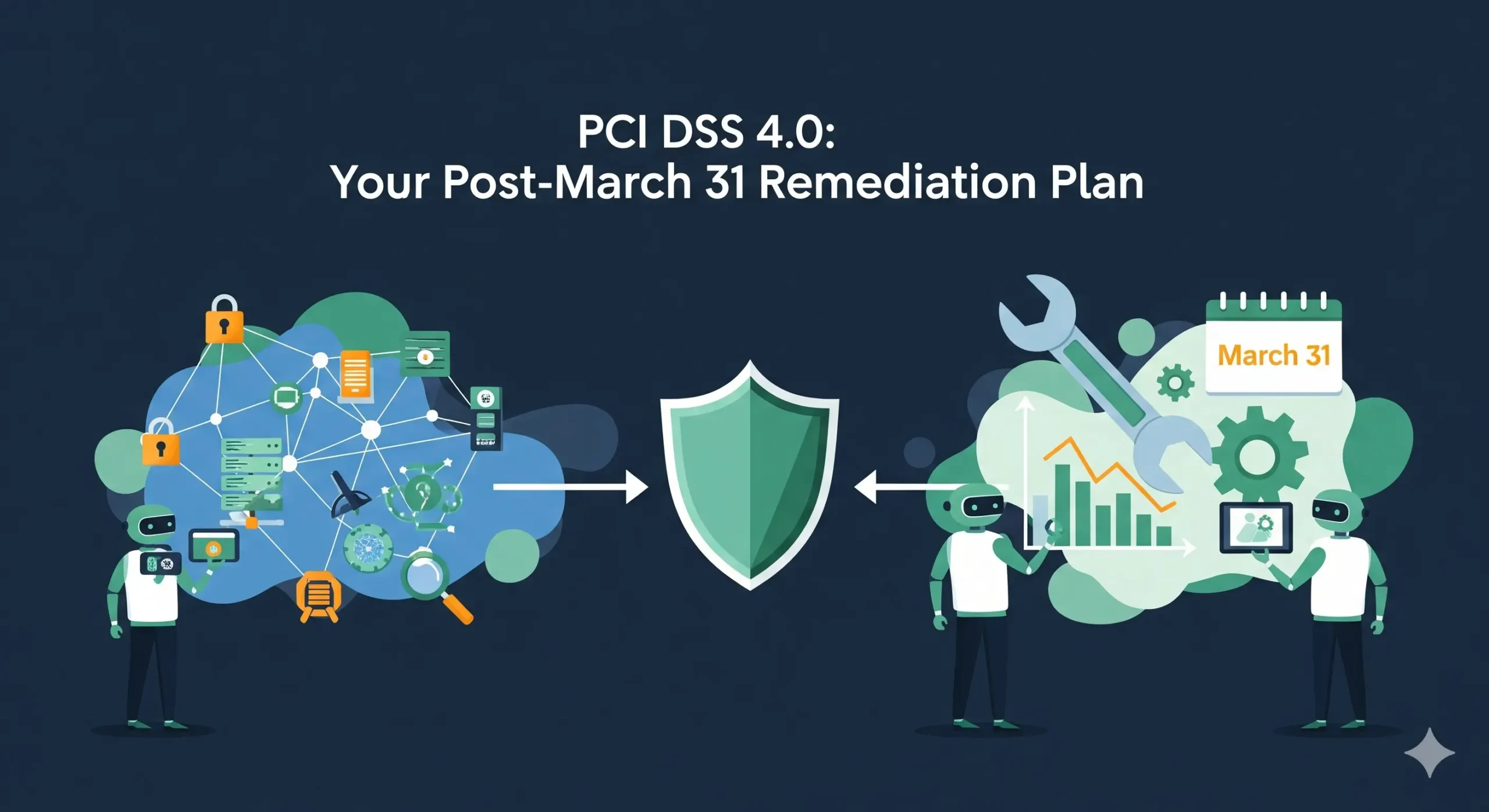
5 Proven Steps for a Risk Register Remediation Plan
When your latest HIPAA, PCI DSS, SOC 2, ISO 27001, or GDPR review lands, it usually arrives as a spreadsheet risk register or a list of “gaps.”
But auditors don’t sign off on spreadsheets — they sign off on remediated controls with evidence.
This guide shows CISOs, Heads of Security, and Compliance/Risk leaders how to turn that static risk register into a living remediation board (Jira/Asana-style) and a 90-day fix plan that works across multiple frameworks.
We’ll cover:
- Baseline your risk assessment
- Prioritize by regulatory impact
- Build a remediation board in Jira/Asana
- Run sprint-based remediation
- Close with a pre-audit evidence review
We’ll also show code-like examples (YAML/JSON, Python, and JQL) you can adapt directly in your environment.
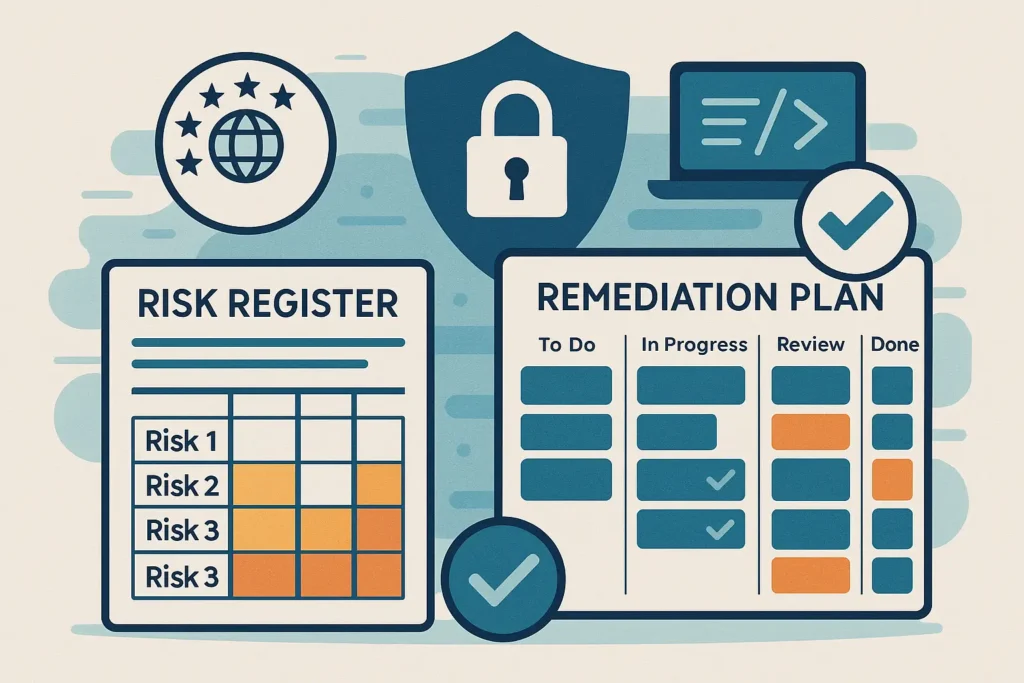
For a concrete example of how we handle real-world vulnerabilities end to end, check out our detailed write-up on CVE-2025-13526: A High-Risk WordPress IDOR here: https://www.pentesttesting.com/cve-2025-13526-a-high-risk-wordpress-idor/
Risk Register vs Remediation Board (and Why It Matters)
Risk register (what you have today):
- Rows in Excel/Sheets
- Columns like Risk ID, Description, Likelihood, Impact, Framework, Status
- Good for recording risks, bad for driving work
Remediation board (what you need in 90 days):
- Tickets in Jira/Asana
- Each ticket has owner, due date, SLA, framework tags (HIPAA/PCI/SOC 2/ISO/GDPR)
- Visual workflow: Backlog → In Progress → Blocked → Ready for Audit → Done
- Audit-ready: every closed ticket has evidence attached
A simple JSON representation of a remediation item that you’ll map from the risk register:
{
  "risk_id": "R-102",
  "title": "Enforce MFA for remote admin access",
  "description": "Remote admin access is allowed without enforced MFA.",
  "owner": "secops_lead",
  "due_date": "2025-02-15",
  "status": "In Progress",
  "frameworks": ["HIPAA", "PCI DSS", "SOC 2", "ISO 27001", "GDPR"],
  "control_refs": ["Access Control", "Identity & Authentication"],
  "likelihood": 4,
  "impact": 5,
  "risk_score": 20,
  "evidence": [
    "vpn_mfa_config_screenshot.png",
    "okta_policy_export.pdf",
    "pentest_retest_report.pdf"
  ]
}
We’ll now walk through a practical 90-day sequence to create a risk register remediation plan that auditors will actually trust.
Step 1 (Days 0–15): Baseline Your Risk Assessment
If you don’t already have a current risk register, start with a formal risk assessment.
A structured assessment gives you:
- A consistent scoring methodology
- Clear mapping to HIPAA, PCI DSS, SOC 2, ISO 27001, GDPR
- A prioritized list of “what can actually break us”
If you’re short on time or internal capacity, kick off a focused engagement using:
👉 Risk Assessment Services
Normalize your risk register
Most organizations have risk data scattered across pentest reports, scanner exports, and old audits. Normalize it into a simple schema:
# risk-register.yml
- id: R-001
  asset: "Patient Portal"
  description: "Outdated TLS configuration allows weak ciphers."
  likelihood: 3         # 1–5
  impact: 4             # 1–5
  frameworks:
    - HIPAA
    - SOC 2
    - ISO 27001
  status: "Open"
  owner: "appsec_team"
  category: "Crypto"
  notes: "Flagged in last external pentest and scanner"
If your source of truth is Excel/Sheets, you can convert it with a small Python helper:
import csv, yaml

def csv_to_risk_yaml(csv_path, yaml_path):
    risks = []
    with open(csv_path, newline="") as f:
        reader = csv.DictReader(f)
        for row in reader:
            risks.append({
                "id": row["Risk ID"],
                "asset": row["Asset/System"],
                "description": row["Risk Description"],
                "likelihood": int(row["Likelihood"]),
                "impact": int(row["Impact"]),
                "frameworks": [f.strip() for f in row["Frameworks"].split(",")],
                "status": row.get("Status", "Open"),
                "owner": row.get("Owner", "unassigned"),
                "category": row.get("Category", "General")
            })
    with open(yaml_path, "w") as f:
        yaml.dump(risks, f)

csv_to_risk_yaml("risk_register.csv", "risk-register.yml")
By the end of Week 2, you want:
- One consolidated risk register file
- Each risk mapped to one or more frameworks (HIPAA/PCI/SOC 2/ISO/GDPR)
- A consistent scoring model (see next step)
Step 2 (Days 10–25): Prioritize by Regulatory Impact
Not all risks are equal. A missing security header on a marketing site is not the same as unencrypted cardholder data.
Use a simple risk score
You don’t need a complex formula; keep it honest and consistent:
def risk_score(likelihood, impact, regulator_weight=1.0):
    # Likelihood & impact 1–5, regulator_weight 1.0–1.5
    return likelihood * impact * regulator_weight

# Example: PCI DSS gap in cardholder data environment (CDE)
score_pci = risk_score(likelihood=4, impact=5, regulator_weight=1.4)  # 28.0
# Example: Minor ISO-only documentation gap
score_iso = risk_score(likelihood=2, impact=2, regulator_weight=1.0)  # 4.0
You can set a higher regulator_weight for:
- PCI DSS in cardholder environments
- HIPAA for PHI systems
- GDPR for EU personal data
- SOC 2 for in-scope customer-facing SaaS
Auto-tag frameworks based on control keywords
If your initial register doesn’t have framework tags, you can infer them:
def infer_frameworks(description):
    description = description.lower()
    frameworks = set()
    if "card" in description or "pan" in description or "cde" in description:
        frameworks.add("PCI DSS")
    if "phi" in description or "patient" in description:
        frameworks.add("HIPAA")
    if "customer data" in description or "subprocessor" in description:
        frameworks.add("SOC 2")
    if "pii" in description or "eu data" in description:
        frameworks.add("GDPR")
    # Default baseline: ISO 27001 for general ISMS
    frameworks.add("ISO 27001")
    return list(frameworks)
Run this once over your normalized YAML/CSV and manually review edge cases.
By Day 25, you should have:
- Every risk scored (e.g., 1–25 scale)
- Each risk tagged with one or more frameworks
- A shortlist of “Fix in 90 days” items (usually the top 30–50)
Step 3 (Days 20–35): Build the Remediation Board
Now we convert the prioritized risk register into a remediation board in Jira, Asana, or your chosen work-tracking tool.
Map risk rows to Jira tickets
Example: minimal JSON payload to create a Jira issue from a risk row:
{
  "fields": {
    "project": { "key": "SEC" },
    "summary": "[R-102] Enforce MFA for remote admin access",
    "description": "Risk ID: R-102\nFrameworks: HIPAA, PCI DSS, SOC 2, ISO 27001, GDPR\n\nDetails:\nRemote admin access is allowed without MFA.\n\nAcceptance criteria:\n- MFA enforced for all remote admin accounts\n- Config exported and attached\n- Retest screenshot/report attached.",
    "issuetype": { "name": "Task" },
    "assignee": { "name": "secops_lead" },
    "labels": ["risk-register", "remediation", "HIPAA", "PCI_DSS", "SOC2", "ISO27001", "GDPR"],
    "duedate": "2025-02-15",
    "customfield_risk_score": 20
  }
}
A simple Python script to bulk-create issues from risk-register.yml:
import requests, yaml

JIRA_BASE_URL = "https://jira.example.com"
JIRA_USER = "api-user"
JIRA_TOKEN = "api-token"
PROJECT_KEY = "SEC"

def create_jira_issue(risk):
    payload = {
        "fields": {
            "project": {"key": PROJECT_KEY},
            "summary": f"[{risk['id']}] {risk['description'][:60]}",
            "description": f"Risk ID: {risk['id']}\nFrameworks: {', '.join(risk['frameworks'])}\n\n{risk['description']}",
            "issuetype": {"name": "Task"},
            "labels": ["risk-register", "remediation"] + risk["frameworks"],
            "duedate": "2025-02-15"
        }
    }
    resp = requests.post(
        f"{JIRA_BASE_URL}/rest/api/2/issue",
        json=payload,
        auth=(JIRA_USER, JIRA_TOKEN)
    )
    resp.raise_for_status()

with open("risk-register.yml") as f:
    risks = yaml.safe_load(f)

for risk in risks:
    if risk["status"] == "Open":
        create_jira_issue(risk)
Tip: If your board supports custom fields, add “Frameworks,” “Risk Score,” and “Target Audit” for fast filtering.
Example board columns (Jira or Asana)
- Backlog – Not yet scheduled
- Sprint 1–2 (High risk) – Top PCI/HIPAA/GDPR issues
- Sprint 3–4 (Medium risk) – SOC 2 and ISO-heavy items
- Blocked / Exceptions – Waiting on budget, vendor, or design
- Ready for Audit – Implemented + evidence attached
- Done (Verified) – Auditor- or third-party-verified items
Now your risk register remediation plan is visible to everyone, not buried in a spreadsheet.
Step 4 (Days 30–85): Run Sprint-Based Remediation
Work in 2–3 week sprints. Each sprint should include:
- A mix of quick wins and big rocks
- Coverage across frameworks
- Clear owner and capacity plan
Example sprint planning pseudo-code
def plan_sprint(open_risks, max_items=15):
    # Prefer high-impact, multi-framework items
    scored = sorted(
        open_risks,
        key=lambda r: (r["likelihood"] * r["impact"], len(r["frameworks"])),
        reverse=True
    )
    return scored[:max_items]

sprint_backlog = plan_sprint([r for r in risks if r["status"] == "Open"])
Track KPIs directly from Jira
Useful JQL queries for dashboards:
-- All open remediation tasks from risk register
project = SEC AND labels = risk-register AND statusCategory != Done

-- PCI DSS high-risk items not done
project = SEC AND labels = PCI_DSS AND "Risk Score" >= 16 AND statusCategory != Done

-- Items Ready for Audit in the next 2 weeks
project = SEC AND status = "Ready for Audit"
AND duedate <= endOfDay("+14d")
Run these queries weekly and share the dashboard with Security, Compliance, and Engineering.
Step 5 (Days 75–90): Pre-Audit Evidence Review
By Day 75, your goal is:
- Most high/critical items in Ready for Audit / Done
- Remaining items in Blocked / Exceptions with documented rationale
For findings that remain deferred, test whether the compensating controls still support the approval. Our exception renewal decision framework separates accepted residual risk from verified remediation and identifies when treatment should reopen.
For each ticket, you should have machine-readable evidence:
{
  "ticket": "SEC-123",
  "risk_id": "R-102",
  "frameworks": ["HIPAA", "PCI DSS", "SOC 2", "ISO 27001", "GDPR"],
  "evidence_items": [
    {
      "type": "configuration",
      "name": "vpn_mfa_config_screenshot.png",
      "stored_at": "s3://audit-evidence/access/vpn_mfa_config_screenshot.png"
    },
    {
      "type": "policy",
      "name": "access_control_policy_v3.pdf",
      "stored_at": "s3://audit-evidence/policies/access_control_policy_v3.pdf"
    },
    {
      "type": "retest_report",
      "name": "pentest_retest_report.pdf",
      "stored_at": "s3://audit-evidence/reports/pentest_retest_report.pdf"
    }
  ],
  "verified_by": "compliance_officer",
  "verified_on": "2025-03-01"
}
A quick script can validate evidence completeness before auditors arrive:
def missing_evidence(remediation_items):
    return [
        i for i in remediation_items
        if not i.get("evidence_items")
    ]

# Print items that still need proof
for item in missing_evidence(remediation_items):
    print(f"{item['ticket']} ({item['risk_id']}) has no evidence attached!")
Multi-Framework Examples: One Fix, Many Checkboxes
The real power of a unified risk register remediation plan is reusing one fix across frameworks.
Example 1: MFA for privileged access
A single remediation ticket:
- Enforce MFA on VPN and privileged accounts
- Logs retained for 12–24 months
Can support:
- HIPAA – access control & authentication safeguards
- PCI DSS – strong authentication for access to cardholder data
- SOC 2 – logical access security criteria
- ISO 27001 – access control and secure authentication
- GDPR – appropriate technical measures to protect personal data
Example 2: Hardened web application
A ticket like “Fix XSSI and related web vulnerabilities in OpenCart store” can map to:
- Fixes from your own blog post
“Prevent XSSI Attack in OpenCart”:
https://www.pentesttesting.com/prevent-xssi-attack-in-opencart/ - Follow-up tests with free website scanning + manual pentests
This single work item contributes to:
- PCI DSS – secure web application practices
- SOC 2 / ISO 27001 – secure software development & change management
- GDPR – protection of personal data processed via the app
Linking remediation tickets to specific internal blog playbooks makes developer handoff much easier.
Using Pentest Testing Corp’s Free Tool & Sample Reports
You don’t have to start from zero when gathering evidence for your remediation board.
On the screenshot of our free tools page, you can see a Free Website Vulnerability Scanner where you simply enter your domain and click “Scan.” The page highlights that you can run quick, outside-in security checks on your internet-facing assets and download a PDF report to attach directly to your remediation tickets.
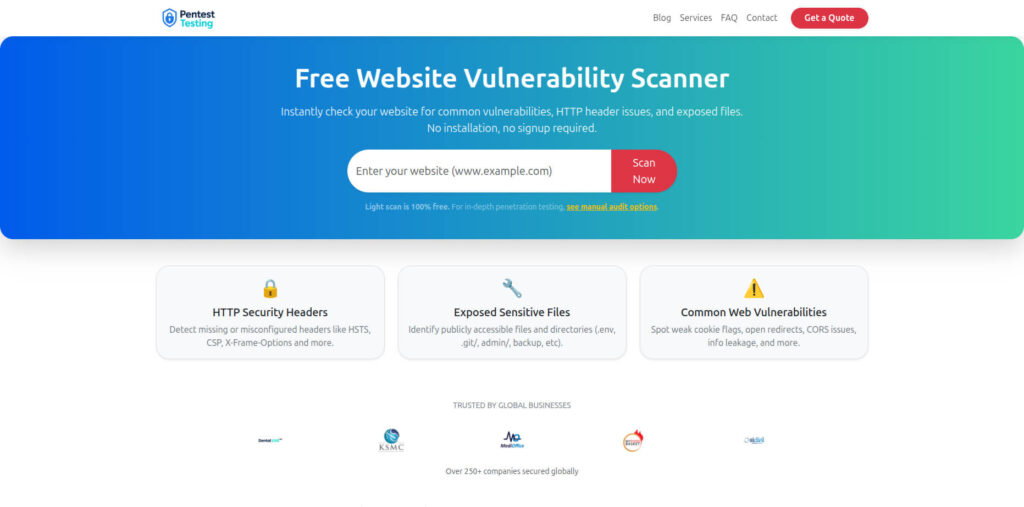
Use it to:
- Seed your risk register with real, external-facing findings
- Generate before/after evidence as you close web app issues
- Provide simple, visual proof for auditors and business stakeholders
Sample Report to check Website Vulnerability
On the sample report screenshot, you’ll see findings grouped by severity (Critical/High/Medium/Low), each with: vulnerability name, affected URL or asset, impact summary, and step-by-step remediation guidance. There’s also an overall risk summary chart, which is perfect to attach to a Jira ticket or your 90-day remediation status deck.
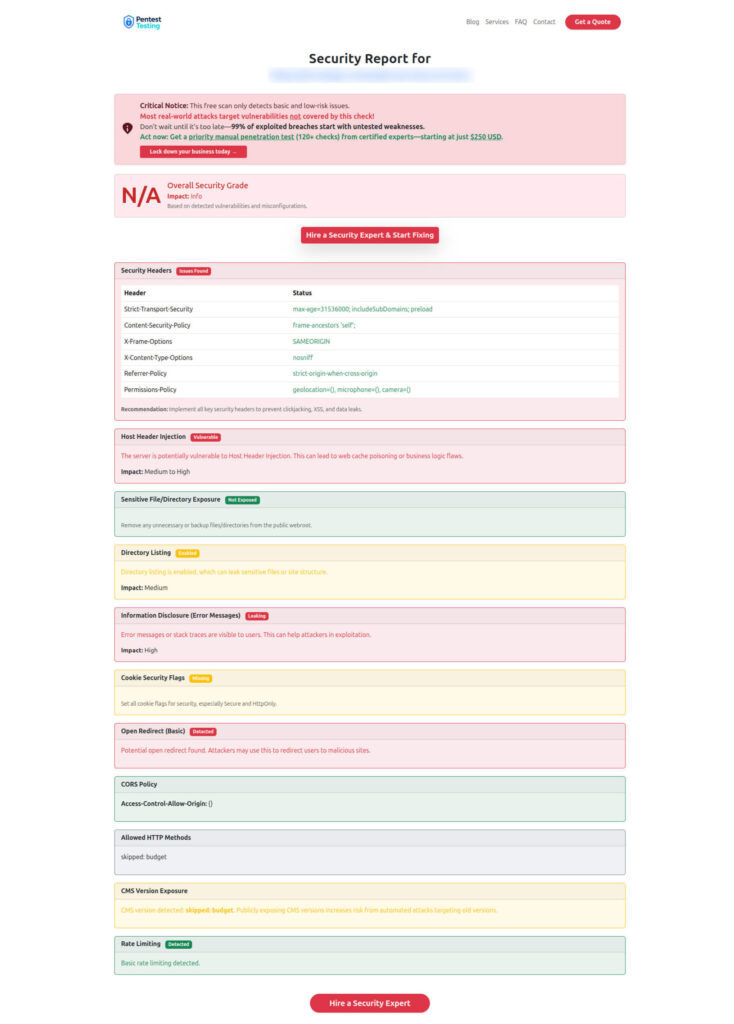
Practical usage in your remediation plan:
- Attach the initial scan report to the ticket when you create it
- Attach the post-fix scan report after the control is implemented
- Keep both under the same ticket to show clear before/after evidence during audits
For deeper, manual verification of high-risk issues, hand the output to your team or engage us for Remediation Services focusing on hands-on fixes and retesting.
Where Pentest Testing Corp Fits in Your 90-Day Fix Plan
If you’d like help turning your own risk register into a 90-day, multi-framework remediation board, you can start with a focused risk assessment and remediation roadmap via:
- Start with a structured Risk Assessment to build or refresh your risk register
- Use our free scanning tools to generate quick, reproducible evidence
- Work with Remediation Services when you need additional engineering capacity or independent retesting
- Reuse patterns and fixes from recent blog content (like OpenCart XSSI and other secure coding guides) at
https://www.pentesttesting.com/blog/
Over time, your risk register remediation plan becomes a repeatable engine: assessment → prioritized remediation board → sprint execution → evidence review → audit.
These services are designed to plug directly into the workflows and code examples you’ve seen in this article.
🔐 Frequently Asked Questions (FAQs)
Find answers to commonly asked questions about the Risk Register Remediation Plan in 90 Days.