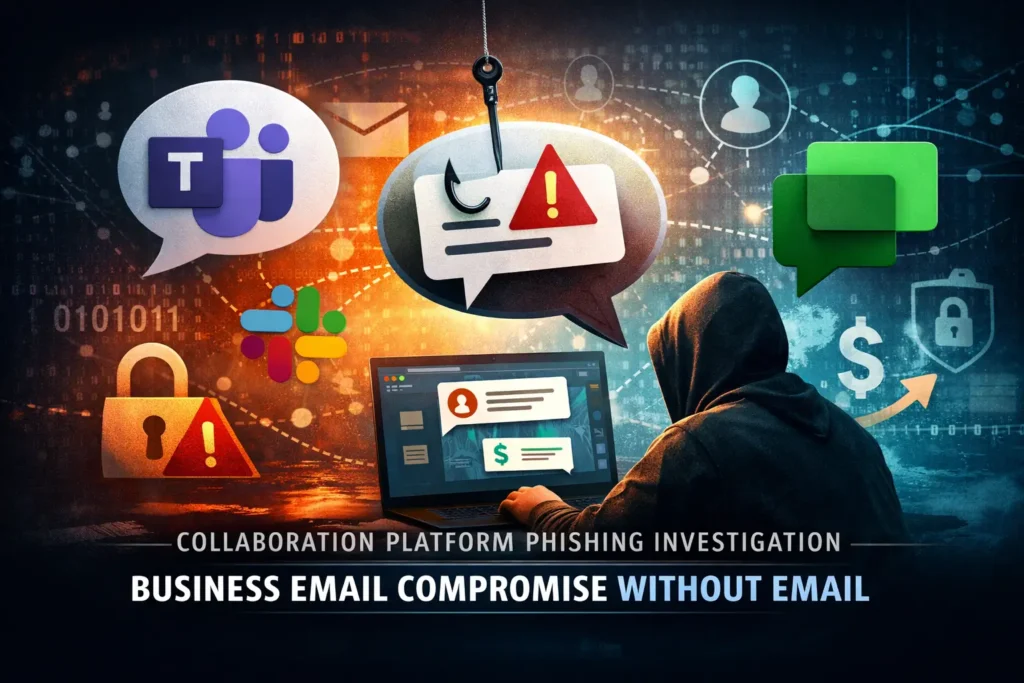
Collaboration Platform Phishing Investigation: Business Email Compromise Without Email
Business email compromise no longer lives only in the inbox. Attackers are increasingly abusing Microsoft Teams, Slack, and Google Chat because those channels feel urgent, trusted, and operationally normal to employees who are already trained to react quickly to messages, files, and meeting invites. That shift makes the problem bigger than “email phishing” and turns it into a collaboration platform phishing investigation problem: preserve the chat evidence, map the identity activity, and contain the right accounts before the trail disappears. Microsoft, Slack, and Google all expose audit, export, retention, or eDiscovery controls that become critical during that first response window.
At Pentest Testing Corp, that is exactly the kind of evidence-first work our DFIR and Digital Forensics service is built for: confirm what happened, preserve evidence, and deliver containment and recovery steps for account compromise and device incidents. We also support the remediation phase with technical, policy, and procedural fixes, plus risk assessments that help turn findings into an audit-ready roadmap.
If you’re preparing for compliance or evaluating your security posture, choosing the right testing partner is critical. We recently published a detailed guide on how to choose a penetration testing company for SOC 2 compliance, covering real risks, audit expectations, and what most vendors miss.
👉 https://www.pentesttesting.com/penetration-testing-for-soc-2/
Why attackers moved into chat
Chat-based BEC works because collaboration platforms compress trust. A message from a known coworker, a familiar workspace, or a branded document request often gets less scrutiny than a strange external email. In practice, the lure may look like a payment request, a shared file, a password reset, a meeting invite, or a request to approve an app, grant access, or “review a document.” That is why the first question is no longer only, “Was a password stolen?” It is also, “Which identity flow was used, what was clicked, what was granted, and what did the attacker do next?”
That framing matters for buyers and responders alike. Microsoft 365 and Google Workspace already give you the raw ingredients for the investigation: sign-in logs, audit logs, message history, app-consent records, and export paths for audit evidence. Slack Enterprise adds audit logs, CSV/JSON export, and an Audit Logs API for SIEM ingestion. Google Vault can retain, search, hold, and export Google Chat messages when conversation history is enabled, and Google Admin also exposes Chat deletion records.
What to preserve first
Do not start with broad password resets and mass cleanups. The first priority is to preserve the evidence window before you lose timestamps, message context, and access history. Pentest Testing Corp’s DFIR guidance is explicit about this: preserve evidence first, then reconstruct the timeline and contain. Microsoft’s Teams guidance also notes that audit data is only visible if auditing is enabled, and retention/searchability depends on your licensing and audit settings.
A practical preservation list should include:
- the original chat thread, direct message, or channel post
- message timestamps, sender IDs, workspace or tenant identifiers, and any edits/deletions
- attached files, URLs, previews, and invite metadata
- screenshots from the reporting user
- sign-in logs, audit logs, and app-consent records
- endpoint artifacts such as browser history, downloads, and recent file activity
- a UTC-based action log showing who touched what and when
Screenshot of our Free Website Vulnerability Scanner tool

Evidence sources by platform
Microsoft 365 / Teams
For Microsoft tenants, start with Microsoft Entra sign-in logs, Entra audit logs, and Microsoft Purview audit logs. Microsoft documents that Entra audit logs capture changes to applications, groups, users, and licenses, and that sign-in logs are available from the Entra admin center. For Teams specifically, Microsoft says to retrieve Teams audit data through the Microsoft Purview portal, with auditing enabled first.
Example investigation prompts for your SIEM or IR worksheet:
1. Which user account first received the message?
2. Did the user sign in from a new device, IP, or geography?
3. Was any app consent granted after the click?
4. Were Teams messages edited, deleted, or forwarded?
5. Did the attacker pivot from chat to OneDrive, SharePoint, email, or a payment workflow?
Slack
Slack Enterprise organizations can review audit logs directly in Slack, export them as CSV or JSON, and use the Audit Logs API for monitoring and SIEM forwarding. Slack also documents anomaly events that can help spot suspicious user or app activity.
Example Slack-focused checks:
1. Search for new workspace members, suspicious app installs, or unusual admin actions.
2. Export audit logs for the incident window.
3. Correlate message timing with file uploads and external link clicks.
4. Review any unusual changes to channel membership or retention settings.
Google Chat / Google Workspace
Google Workspace defenders should preserve Chat data through Vault where conversation history is available, and review Google Admin console records for Chat deletion activity. Google Vault can retain, hold, search, and export Google Workspace data, including Google Chat messages.
Example Google Workspace checks:
1. Review sign-in activity for the impacted user.
2. Check for new app grants or suspicious OAuth-linked access.
3. Preserve Google Chat history and related file activity.
4. Confirm whether any Chat threads were deleted or auto-deleted.
Containment steps that do not destroy the case
Once evidence is preserved, contain in layers. Revoke active sessions, disable the malicious app or integration, suspend compromised accounts where required, and rotate secrets that may have been exposed through chat-driven workflows. Keep the containment record clean and timestamped. That order matters because reconstruction is much harder after a tenant-wide reset or a rushed app removal.
A sensible first-48-hours workflow looks like this:
0–4 hours:
- Preserve messages, files, screenshots, and audit exports
- Start a UTC timeline
- Identify impacted users and admins

4–24 hours:
- Correlate chat, sign-in, and consent events
- Look for file access, downloads, or message deletions
- Restrict suspicious integrations and sessions

24–48 hours:
- Determine whether this is phishing only, app abuse, or endpoint compromise
- Decide whether broader resets are needed
- Document containment and recovery decisions
Policy hardening after the incident
The fix is not just “train users not to click.” The real hardening work is in identity policy, audit coverage, data retention, and collaboration governance. Microsoft’s logs, Slack’s audit tooling, and Google Vault give you the evidence layer; your policy layer should make that evidence easier to preserve and harder for attackers to evade.
Focus on these controls:
- enforce phishing-resistant MFA for privileged and finance users
- restrict third-party app consent and external collaboration by default
- enable and retain audit logging for Teams, Slack, and Google Workspace
- route audit events into your SIEM for alerting and correlation
- define evidence-preservation steps in your incident response plan
- test chat abuse paths during tabletop exercises and access reviews
How Pentest Testing Corp helps
If the incident is active or the evidence is already getting stale, our DFIR and Digital Forensics engagement is the best starting point. It is designed to confirm what happened, preserve evidence, and produce actionable containment and recovery steps. From there, our Risk Assessment Services help turn the incident into a prioritized roadmap, and our Remediation Services help close the technical, policy, and procedural gaps that made the attack possible.
For teams that also need to validate the surrounding trust boundary, our broader Cybersecurity Services cover manual-first testing with clear remediation guidance, and our Web Application Penetration Testing service includes a sample report so stakeholders can see the quality of the findings and fix guidance before engagement.
Sample report from our tool to check Website Vulnerability

Related reading from Pentest Testing Corp
See our recent posts below, if you want more related reading: Microsoft OAuth Redirect Abuse: First 48 Hours and Google Workspace Account Takeover Investigation. Both reinforce the same evidence-first mindset for SaaS compromise, identity forensics, and post-incident hardening.
Closing note on Collaboration Platform Phishing Investigation
Business email compromise is now a collaboration problem as much as an inbox problem. The organizations that recover fastest are those that preserve evidence early, investigate the full identity chain, and harden the chat and app layers after the incident, rather than treating them as a side issue. If your team needs help scoping the impact before the evidence goes stale, a SaaS/collaboration abuse investigation is the right next step.
🔐 Frequently Asked Questions (FAQs)
Find answers to commonly asked questions about Collaboration Platform Phishing Investigation.