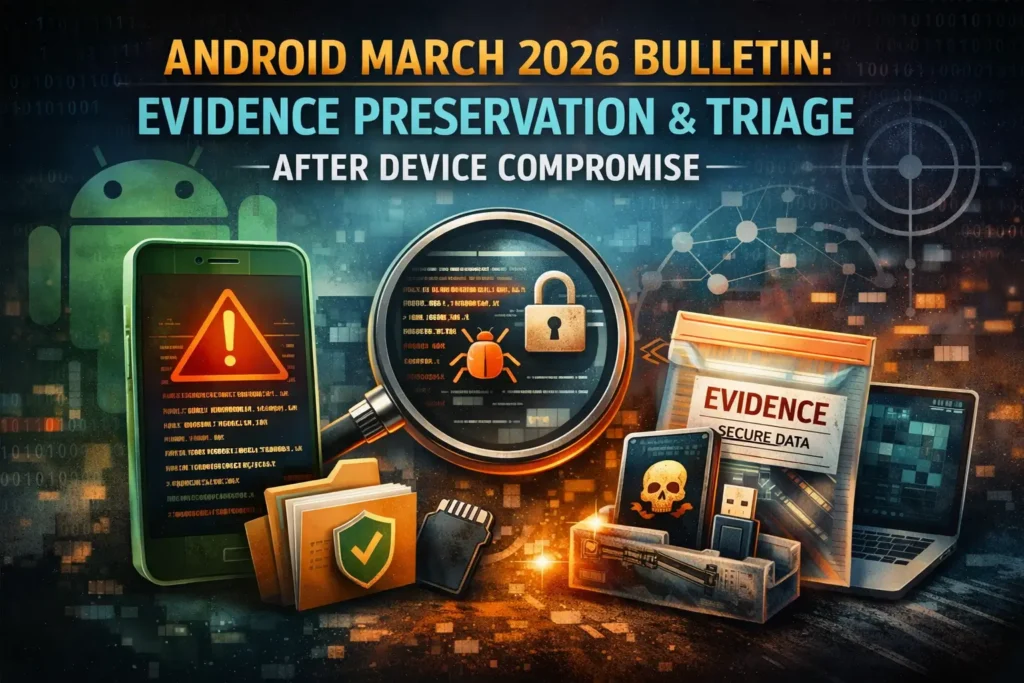
Android March 2026 Bulletin: Evidence Preservation and Triage After Suspected Device Compromise
Google’s Android Security Bulletin for March 2026 was published on March 2 and updated on March 10. Google says devices on patch level 2026-03-05 or later address all listed issues, and it highlights a critical System-component flaw that could enable remote code execution with no additional execution privileges and no user interaction required. In the detailed bulletin, the System section includes CVE-2026-0006, marked RCE / Critical. Google also notes indications that CVE-2026-21385 may be under limited, targeted exploitation. For security leaders, that changes the conversation from “patch when practical” to “patch fast, and if compromise is suspected, preserve evidence before anyone wipes or re-enrolls the device.”
That distinction matters because once a device is factory-reset, re-enrolled, or aggressively “cleaned,” the evidence that explains what happened can disappear with it. If your organization supports BYOD, COPE, fully managed Android fleets, contractor devices, or executive mobile access, the right first move is not always a simple reset. It is controlled triage. Google’s own guidance also makes it easy to verify the on-device security patch level from Settings > About phone/About tablet > Android version, and to check update status from Settings > System > Software updates.
At Pentest Testing Corp, we already position our work around evidence handling, clear remediation, and practical incident response across web, API, mobile, cloud, and DFIR engagements. That makes this bulletin a strong reminder that mobile incidents should be handled with the same preservation-first discipline buyers expect from server, cloud, and identity investigations.
For a deeper Google-focused follow-up, see our guide on Google Workspace account takeover investigation, including OAuth app abuse, suspicious consent, and token persistence.
What changed in the Android Security Bulletin March 2026, and why it matters to organizations
The headline issue is not just that March includes another security rollup. It is that the bulletin explicitly calls out a critical, no-user-interaction RCE condition in the System component, while the broader bulletin also contains additional critical and high-severity issues across Framework, kernel, kernel components, and vendor-related areas. For organizations, this means three things:
First, patch lag becomes materially more dangerous. If you manage Android devices through MDM/EMM, patch posture is no longer just a hygiene metric. It becomes an active exposure indicator. Second, incident handling has to separate patching from evidence destruction. If a device is merely out of date, patch it. If it is both out of date and behaving suspiciously, preserve first, then contain, then remediate. Third, Android compromise can become an identity problem fast. Once a handset is tied to email, SSO, messaging, banking apps, admin portals, passkeys, or authenticator flows, a “mobile issue” can quickly spread into tenant, SaaS, and account abuse.
This is exactly why a buyer audience should resist the usual shallow advice. “Patch now” is correct, but incomplete. The better question is: Do we still have a patching problem, or do we now have an incident with evidentiary value?
Signs an Android device needs forensic handling instead of a simple reset
A straight reset is reasonable when there is no sign of compromise and the problem is limited to routine device hygiene. But a device should move into a forensic-handling path when the facts suggest attacker activity, credential abuse, persistence, or regulatory impact.
Common triggers include:
- unknown apps, suspicious APK installs, or signs of permissions abuse
- unexpected device admin behavior or policy changes
- unusual battery drain, overheating, data spikes, or unexplained background activity
- logins the user cannot explain, especially around Google, Microsoft 365, banking, or enterprise apps
- messages, transactions, or approvals initiated without the user’s knowledge
- executive/VIP ownership, regulated data access, or connections to production/admin systems
- evidence that a phishing click, OAuth abuse, or endpoint-to-account pivot may have occurred
Our DFIR service page already frames the right indicators well for mobile cases: suspicious apps, permissions abuse, device-admin persistence, abnormal logins, account takeover signals, and the need to confirm what happened before recovery steps erase the trail.
A practical leadership test is simple: if you may need to answer what happened, when it started, what was accessed, and whether the issue spread beyond the handset, you are already past “just reset it.”
Evidence to preserve first: patch level, device state, accounts, logs, app inventory, network indicators
If compromise is suspected, preserve the highest-value facts first. Do not wait for a perfect forensic image before collecting the basics that are easiest to lose.
1) Patch level and device identity
Start by recording:
- Android version
- Android security update level
- Google Play system update level
- device model
- serial/asset ID
- carrier/SIM details if relevant
- ownership type: BYOD, COPE, fully managed, contractor, kiosk, shared device
On the device, the fastest manual path is Settings > About phone/About tablet > Android version. If you have approved ADB access and policy authority, collect a small preservation bundle immediately:
adb devices
adb shell getprop ro.build.version.release
adb shell getprop ro.build.version.security_patch
adb shell getprop ro.build.fingerprint
adb shell pm list packages -3 > third_party_packages.txt
adb shell dumpsys device_policy > device_policy.txt
adb bugreport bugreport-android-incident.zip
Those commands do not replace a formal acquisition, but they can preserve patch posture, build identity, app inventory, policy state, and a broader diagnostic bundle before the device changes. Only do this under an approved incident workflow.
2) Device state at the time of suspicion
Capture the state before anyone “fixes” it:
- photos or screenshots of pop-ups, strange prompts, new apps, admin warnings, and lock-screen alerts
- current network connection, VPN state, and active profile state
- whether the device is unlocked, powered on, charging, or connected to work infrastructure
- exact time the symptom was first observed, in UTC if possible
This sounds basic, but it often becomes the timeline anchor for everything that follows.
3) Account and identity evidence
Preserve evidence beyond the handset itself:
- Google Workspace or consumer Google account sign-in history
- Microsoft Entra / Microsoft 365 sign-ins if the device is tied to work services
- MFA changes, recovery-method changes, app-consent events, token usage, mailbox-rule changes, and suspicious forwarding behavior
- MDM/EMM events such as unenrollment, policy bypass, or work-profile changes
This is where mobile compromise often becomes an identity investigation. That same evidence-first logic is reflected in Pentest Testing Corp’s recent OAuth triage guidance, which emphasizes preserving identity-flow evidence before broad resets or tenant-wide disruption.
4) App inventory and risky software indicators
Preserve:
- all installed third-party apps
- apps installed shortly before symptoms began
- sideloaded packages or unknown sources indicators
- accessibility-service abuse
- device-admin / enterprise-policy changes
- browser extensions or suspicious web shortcuts if applicable
For managed fleets, also export the MDM view of the device at that moment. MDM inventory often becomes the cleanest source of truth when the handset later gets replaced.
5) Logs and volatile artifacts
Collect what is realistically available before it rolls over:
- EMM/MDM logs
- endpoint/mobile defense telemetry
- DNS, proxy, or secure web gateway logs
- VPN logs
- IdP/SSO logs
- mobile carrier or network correlation data if appropriate
- support tickets, user reports, and SOC notes
Do not assume handset-local logs alone will tell the whole story. The strongest mobile cases are often built by correlating device state with identity, email, network, and management telemetry.
6) Network indicators
Record:
- recent suspicious domains, URLs, IPs, or certificate anomalies
- unusual DNS requests
- unexplained VPN endpoints
- connections shortly before the incident window
- links between the device and any affected web admin panels, SaaS portals, or cloud consoles
Screenshot of the Free Website Vulnerability Scanner Dashboard

Sample report from the tool to check Website Vulnerability

Triage decision tree for employee-owned vs company-managed devices
Ownership changes what you can safely collect and how fast you can act.
If the device is company-managed
Treat it as a corporate incident asset.
- Preserve device and management state first.
- Export MDM/EMM inventory, compliance status, recent policy actions, and assigned accounts.
- Preserve account and network logs tied to the device.
- Isolate from risky connectivity if needed, but avoid a wipe until the preservation set is complete.
- Decide whether to patch-in-place, replace-and-hold, or escalate to formal forensic analysis.
This path is usually the cleanest because policy authority, consent, and data boundaries are clearer.
If the device is employee-owned (BYOD)
Treat it as both a security event and a privacy-sensitive asset.
- Confirm what corporate access the device had: work profile, email, SSO, VPN, admin apps, shared drives, chat, or privileged portals.
- Preserve corporate-side evidence first: IdP logs, work-profile state, MDM records, enterprise app telemetry, and timeline notes.
- Limit collection to authorized scope. Do not assume you can or should broadly image the entire personal device.
- Decide whether to preserve only enterprise artifacts, request user cooperation for deeper review, or move straight to account containment and device replacement.
For many BYOD cases, the immediate objective is not “collect everything.” It is “collect enough to determine corporate impact without creating avoidable privacy and legal problems.”
Escalate immediately if any of these are true
- executive, finance, or admin user
- access to regulated data
- signs of persistence or repeated re-compromise
- unusual authenticator or passkey activity
- suspicious OAuth, mailbox, or SSO behavior
- indicators that the device was a staging point into SaaS, cloud, or internal systems (Pentest Testing Corp.)
Containment and remediation without destroying evidence
A good rule is: contain the threat, not the timeline.
That usually means:
- isolate the device from nonessential networks where justified
- preserve logs and screenshots before device resets
- rotate or revoke risky sessions, tokens, and credentials at the account layer
- block malicious domains, URLs, app hashes, or known indicators in security controls
- move the user to a replacement device when needed
- patch and re-enroll only after the minimum evidence set is captured
What you want to avoid:
- immediate factory reset with no notes, no screenshots, and no account review
- uninstalling suspicious apps before documenting them
- broad tenant-wide credential resets before you understand the entry path
- mixing containment work and evidence handling with no case log
This is also where Remediation Services and Risk Assessment Services become natural extensions of the incident. Remediation closes the technical, policy, logging, and governance gaps the incident exposed, while risk assessment helps leadership identify why the organization was vulnerable to this path in the first place.
When to escalate to forensic analysis, account review, and broader security hardening
Escalation is justified when the answer matters beyond a single handset.
Bring in formal forensic analysis when you need to determine:
- whether the device was actually compromised or merely suspicious
- whether credentials, messages, files, or sessions were abused
- how the attacker got in
- whether other devices, identities, or systems were affected
- what evidence you must preserve for auditors, insurers, regulators, or legal review
This is exactly the operating model described across Pentest Testing Corp’s Digital Forensic Analysis Services, its recent evidence-handling article 7 Proven Digital Forensic Analysis Steps for Legal Evidence, and its broader service stack around remediation and compliance support.
A practical engagement split looks like this:
- Digital Forensic Analysis Services for evidence preservation, compromise confirmation, timeline reconstruction, and containment guidance.
- Remediation Services for logging, access-control, policy, encryption, network, and governance fixes after the incident.
- Risk Assessment Services for BYOD policy gaps, privileged-mobile exposure, mobile-to-SaaS risk mapping, and compliance-oriented follow-through.
If your team is already seeing suspicious mobile behavior after this bulletin, the right CTA is not “wipe and hope.” It is: book a forensic triage call for suspected mobile compromise and get a preservation-first investigation plan before devices are reset or re-enrolled. Pentest Testing Corp explicitly supports DFIR triage, evidence preservation, rapid scoping, and clear reporting for Android incidents.
🔐 Frequently Asked Questions (FAQs)
Find answers to commonly asked questions about Android Security Bulletin March 2026.