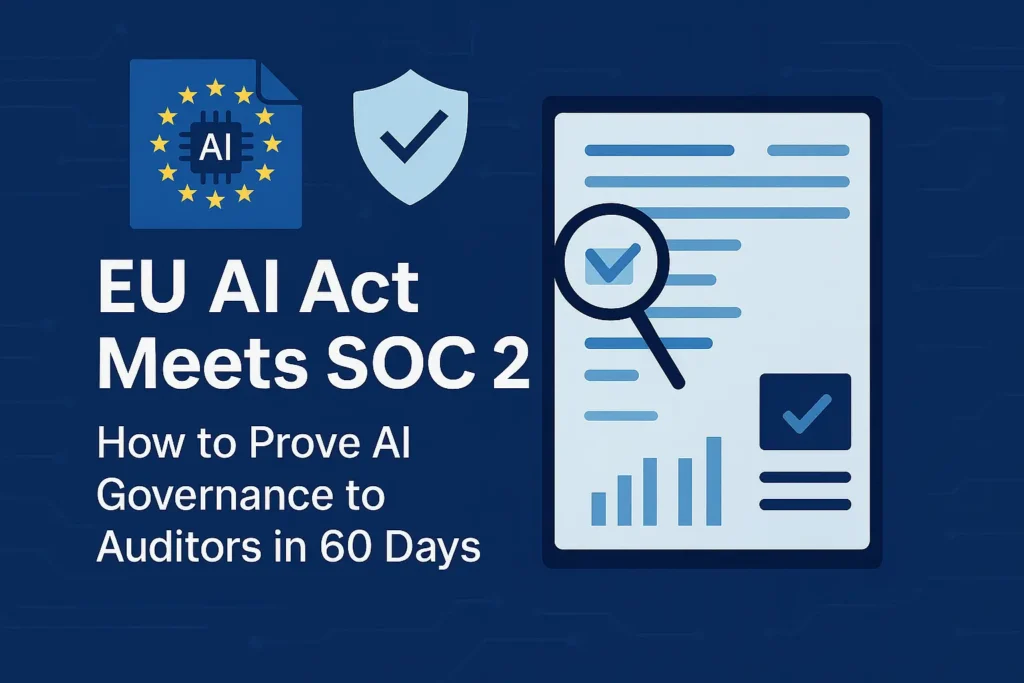
EU AI Act SOC 2: 7 Proven Steps to AI Governance
If you run SaaS, fintech, health, or AI platforms that touch EU users, your next audit won’t just ask “Are you SOC 2-compliant?” — it will ask how your AI systems fit into EU AI Act + SOC 2.
The EU AI Act introduces a risk-based framework (unacceptable, high, limited, minimal), with stricter obligations for high-risk AI and general-purpose AI models (GPAI). GPAI providers start facing obligations from August 2, 2025, and high-risk rules were originally scheduled for August 2026 before proposed delays to late 2027.
Meanwhile, SOC 2 wants evidence that your AI governance sits inside a disciplined control environment: access control, change management, monitoring, incident response, and vendor risk.
If you’re already using AI in diagnostics, triage, or virtual care, don’t stop at a high-level review. Our HIPAA AI Risk Assessment Sprint shows exactly how to inventory AI use cases, map PHI data flows, and run a 30–60 day remediation sprint that produces audit-ready evidence.
This guide gives security and compliance leaders a 60-day, code-driven playbook to show a coherent EU AI Act SOC 2 story to auditors:
- Inventory AI systems and use cases
- Classify AI risk (EU AI Act lens)
- Map risks to SOC 2 / ISO 27001 controls
- Define AI governance policies and guardrails
- Implement technical controls with logs and guardrails
- Automate AI governance evidence collection
- Prepare your 60-day audit narrative — with help from Pentest Testing Corp
1. Build a complete AI system inventory (Days 1–10)
Your EU AI Act SOC 2 journey starts with a brutally honest inventory:
- AI models (ML, LLMs, recommendation engines, scoring models)
- Data pipelines feeding or consuming AI
- APIs and UIs that expose AI functionality
- Third-party AI providers (OpenAI, Anthropic, Azure OpenAI, Vertex AI, etc.)
- Shadow AI usage (teams wiring AI into workflows without telling security)
1.1 Define what “AI system” means in your context
Create a lightweight schema for your AI system register:
# ai_systems.yml
- id: "ai-001"
  name: "Credit Scoring Model"
  owner: "head_of_risk"
  business_process: "Loan approval"
  data_used: ["income", "credit_history", "country"]
  ai_type: "ML-classifier"
  interfaces: ["internal-api", "backoffice-ui"]
  provider: "in-house"
  eu_users_impacted: true

- id: "ai-002"
  name: "Customer Support Chatbot"
  owner: "head_of_support"
  business_process: "Tier-1 support triage"
  data_used: ["support_tickets", "account_metadata"]
  ai_type: "LLM"
  interfaces: ["public-web", "in-app-widget"]
  provider: "GPAI + proprietary prompts"
  eu_users_impacted: true
Store this in Git with pull requests for changes — it becomes an auditable artifact in itself.
1.2 Auto-discover AI usage from your repos
Quick Python helper to scan cloned repositories for common AI libraries and endpoints:
import os, json

AI_LIB_KEYWORDS = [
    "openai", "anthropic", "google-generativeai",
    "vertexai", "langchain", "transformers", "cohere"
]

def has_ai_dependency(path):
    for fname in ("requirements.txt", "pyproject.toml", "package.json"):
        fpath = os.path.join(path, fname)
        if not os.path.exists(fpath):
            continue
        text = open(fpath).read().lower()
        if any(lib in text for lib in AI_LIB_KEYWORDS):
            return True
    return False

ai_projects = []

for root, dirs, files in os.walk("repos"):
    # Skip nested .git and virtualenvs
    dirs[:] = [d for d in dirs if d not in {".git", ".venv", "node_modules"}]
    if has_ai_dependency(root):
        ai_projects.append({"path": root})

print(json.dumps(ai_projects, indent=2))
Attach this output to your AI inventory so you can show auditors: “Here’s how we systematically scan for AI components across codebases.”
1.3 Discover AI endpoints from logs
Use logs to catch shadow AI:
-- Example: identify services calling LLM endpoints
SELECT
  service_name,
  COUNT(*)        AS call_count,
  MIN(timestamp)  AS first_seen,
  MAX(timestamp)  AS last_seen
FROM api_gateway_logs
WHERE path ILIKE '%/v1/chat/completions%'
   OR path ILIKE '%/ai/%'
GROUP BY service_name
ORDER BY call_count DESC;
Fold the results back into ai_systems.yml with a field:
log_discovery:
  first_seen: "2025-09-12T10:42:00Z"
  last_seen: "2025-11-28T21:35:00Z"
  log_source: "api_gateway_logs"
2. Classify AI risk using the EU AI Act lens (Days 5–15)
The EU AI Act uses a risk-based approach: prohibited, high-risk, limited, and minimal risk. High-risk categories include areas like employment, credit scoring, and access to essential services, with stricter obligations and documentation.
You don’t need to be a lawyer to get started; you need a repeatable classification that counsel can refine.
2.1 Encode a simple classification function
from enum import Enum

class AIRisk(Enum):
    UNACCEPTABLE = "unacceptable"
    HIGH = "high"
    LIMITED = "limited"
    MINIMAL = "minimal"

def classify_ai_use_case(system):
    bp = system["business_process"].lower()
    data = [d.lower() for d in system["data_used"]]
    eu = system.get("eu_users_impacted", False)

    if "biometric" in data or "emotion" in bp:
        return AIRisk.UNACCEPTABLE

    high_risk_signals = [
        "credit", "scoring", "loan", "recruitment",
        "employment", "education", "essential service"
    ]
    if eu and any(sig in bp for sig in high_risk_signals):
        return AIRisk.HIGH

    if "chatbot" in bp or "assistant" in bp:
        return AIRisk.LIMITED

    return AIRisk.MINIMAL
Apply this over your ai_systems.yml:
import yaml

systems = yaml.safe_load(open("ai_systems.yml"))
for s in systems:
    s["eu_ai_act_risk"] = classify_ai_use_case(s).value

yaml.safe_dump(systems, open("ai_systems_classified.yml", "w"))
Now you have a machine-readable EU AI Act classification that feeds nicely into SOC 2 risk assessment and ISO 27001 risk registers.
3. Map AI risk to SOC 2 / ISO 27001 controls (Days 10–20)
Auditors will ask: “Which controls mitigate this AI risk?”
Your answer should bridge EU AI Act obligations → SOC 2 TSC → ISO 27001 Annex A.
Use a small mapping file:
{
  "data_governance": {
    "description": "Training/inference data quality, relevance, and bias control",
    "eu_ai_act_refs": ["data governance & quality", "training data documentation"],
    "soc2_controls": ["CC2.1", "CC3.2", "CC3.4"],
    "iso27001_controls": ["A.5.12", "A.8.10"]
  },
  "human_oversight": {
    "description": "Human-in-the-loop for high-risk AI decisions",
    "eu_ai_act_refs": ["human oversight", "appeal channels"],
    "soc2_controls": ["CC1.1", "CC5.3"],
    "iso27001_controls": ["A.5.1", "A.6.3"]
  },
  "logging_monitoring": {
    "description": "Event logs and monitoring for AI systems",
    "eu_ai_act_refs": ["event logging", "post-market monitoring"],
    "soc2_controls": ["CC7.2", "CC7.3"],
    "iso27001_controls": ["A.8.15"]
  }
}
Map each AI system to these control themes:
import json, yaml

MAP = json.load(open("ai_aiact_soc2_iso_map.json"))
systems = yaml.safe_load(open("ai_systems_classified.yml"))

def controls_for_system(system):
    themes = set()

    if system["eu_ai_act_risk"] in ["high", "unacceptable"]:
        themes.update(["data_governance", "human_oversight", "logging_monitoring"])
    if "public-web" in system.get("interfaces", []):
        themes.add("logging_monitoring")

    return list(themes)

for s in systems:
    s["control_themes"] = controls_for_system(s)

yaml.safe_dump(systems, open("ai_systems_mapped.yml", "w"))
This gives you a direct bridge from EU AI Act SOC 2 expectations into ISO 27001 and your central risk register. For a deeper dive on evidence artifacts, see our recent guide “21 Essential SOC 2 Type II Evidence Artifacts (and How to Produce Them Fast)” on the Pentest Testing Corp blog.
4. Define AI governance policies and guardrails (Days 15–30)
Now turn classification into policy:
- Who can deploy new AI systems?
- Which AI providers and models are allowed?
- How do you approve prompts, datasets, and use cases?
- What evidence is kept for EU AI Act and SOC 2?
Represent your AI policy as code-backed configuration:
# ai_policy.yml
allowed_providers:
  - "openai"
  - "azure_openai"
  - "vertex_ai"

restricted_models:
  - name: "gpt-4o"
    max_tokens: 2048
    allowed_uses: ["support_assistant", "internal_copilot"]
    banned_uses: ["employment_decision", "credit_scoring"]

high_risk_requirements:
  - "documented DPIA/privacy assessment"
  - "model card with limitations"
  - "human-in-the-loop decision review"
  - "appeal channel for impacted users"
  - "logging of decisions for at least 6 years"
Wire this into deployment pipelines so non-compliant AI systems fail fast instead of appearing in production and surprising auditors.
5. Implement technical controls and AI logging (Days 20–40)
SOC 2 and the EU AI Act both expect operational controls, not just pretty policies.
5.1 Wrap AI calls with a governed gateway
Create a central Python client that every service uses for LLM calls:
# ai_gateway.py
import os, json, hashlib, logging
from datetime import datetime
from typing import Dict

import openai  # or azure, etc.

POLICY = json.load(open("ai_policy_resolved.json"))
AUDIT_LOG = logging.getLogger("ai_audit")

def hash_user(user_id: str) -> str:
    return hashlib.sha256(user_id.encode()).hexdigest()

def validate_use_case(model: str, use_case: str):
    for m in POLICY["restricted_models"]:
        if m["name"] == model:
            if use_case in m.get("banned_uses", []):
                raise RuntimeError(f"Use case {use_case} not allowed for {model}")
            if use_case not in m.get("allowed_uses", []):
                raise RuntimeError(f"Use case {use_case} not explicitly approved")

def call_llm(user_id: str, model: str, use_case: str, prompt: str) -> str:
    validate_use_case(model, use_case)

    # Minimal PII-safe log
    AUDIT_LOG.info({
        "ts": datetime.utcnow().isoformat() + "Z",
        "user": hash_user(user_id),
        "model": model,
        "use_case": use_case,
        "prompt_chars": len(prompt),
    })

    resp = openai.ChatCompletion.create(
        model=model,
        messages=[{"role": "user", "content": prompt}],
        max_tokens=POLICY["limits"][use_case]["max_tokens"]
    )

    return resp["choices"][0]["message"]["content"]
This gateway gives you:
- Enforced model/use-case restrictions
- Centralized logging for AI Act post-market monitoring and SOC 2 CC7.x
- A single place to hook DLP, redaction, and safety filters
5.2 Store AI decisions as evidence
For high-risk decisions (loans, hiring, healthcare), log a structured record:
CREATE TABLE ai_decisions (
  id UUID PRIMARY KEY,
  system_id TEXT NOT NULL,
  user_hash CHAR(64) NOT NULL,
  input_summary JSONB NOT NULL,
  output_summary JSONB NOT NULL,
  model_name TEXT NOT NULL,
  risk_classification TEXT NOT NULL,
  human_reviewer TEXT,
  approved BOOLEAN,
  created_at TIMESTAMPTZ DEFAULT now()
);
Attach this to human-oversight workflows (Jira, ServiceNow), and your auditor gets a clear sampling population.
6. Automate evidence collection (Days 30–50)
By now, you have:
ai_systems_mapped.yml(inventory + EU AI Act risk + control themes)- Central AI gateway logs
- High-risk decision records
The next step is to package everything into an evidence binder that satisfies both EU AI Act monitoring and SOC 2 testing.
6.1 Build an AI governance evidence pack
import os, shutil, yaml, json
from datetime import date

OUT_DIR = f"evidence/{date.today().isoformat()}_ai_governance"
os.makedirs(OUT_DIR, exist_ok=True)

shutil.copy("ai_systems_mapped.yml", f"{OUT_DIR}/01_ai_systems.yml")
shutil.copy("ai_policy.yml", f"{OUT_DIR}/02_ai_policy.yml")
shutil.copy("ai_aiact_soc2_iso_map.json", f"{OUT_DIR}/03_control_mapping.json")
shutil.copy("logs/ai_gateway.log", f"{OUT_DIR}/04_ai_gateway.log")
shutil.copy("exports/ai_decisions_sample.csv", f"{OUT_DIR}/05_ai_decisions_sample.csv")

index = {
    "date": str(date.today()),
    "purpose": "EU AI Act + SOC 2 AI governance evidence pack",
    "files": sorted(os.listdir(OUT_DIR))
}

json.dump(index, open(f"{OUT_DIR}/00_index.json", "w"), indent=2)
print(f"Evidence pack created at {OUT_DIR}")
This mirrors the evidence-binder approach we use in our unified risk register playbook, described in “7 Proven Steps to a Unified Risk Register in 30 Days.”
6.2 Use the free Website Vulnerability Scanner as quick evidence
Your AI systems often sit behind web frontends and APIs. Before you run a full engagement, you can use our Website Vulnerability Scanner online free to capture a quick perimeter snapshot.
Free tools page screenshot
The screenshot below shows the interface of our free security tools portal, where you can launch the Website Vulnerability Scanner and other quick checks. It’s a fast way to spot obvious exposures on AI-facing web apps and APIs before you commit to a deeper assessment.

Sample vulnerability report screenshot
The example report screenshot highlights how findings are grouped by URL, category, and severity. You can export this report to check Website Vulnerability and attach “before/after” scans to tickets as technical evidence that you identified, fixed, and retested vulnerabilities on systems that host or expose AI features.

You can access the live tool at free.pentesttesting.com.
These quick wins complement deeper work like SOC 2 risk assessments and AI-specific penetration tests.
7. The 60-day EU AI Act SOC 2 roadmap
Bring everything together into a 60-day AI governance sprint:
- Days 1–10: Inventory & discovery
- Build
ai_systems.yml - Run repo and log discovery scripts
- Capture business owners and EU impact
- Build
- Days 10–20: Risk classification & control mapping
- Classify each system using EU AI Act risk levels
- Map to SOC 2 and ISO 27001 control themes
- Log decisions for legal/compliance review
- Days 20–40: Policies, guardrails, and technical controls
- Approve
ai_policy.ymlwith leadership - Enforce AI gateway for model usage, logging, and limits
- Stand up logging, monitoring, and AI decision records
- Approve
- Days 30–50: Evidence automation & vulnerability scans
- Generate AI governance evidence packs automatically
- Run the free Website Vulnerability Scanner against AI-facing endpoints
- Attach sample reports and retests to tickets
- Days 50–60: Pre-audit review and narrative
- Review your EU AI Act SOC 2 story: inventory, risks, controls, and evidence
- Use a unified risk register pattern (similar to our “5 Proven Steps for a Risk Register Remediation Plan” and unified risk register article) to show how AI fits your broader compliance program.
By Day 60, you should be able to explain to an auditor:
“Here is our AI inventory, how we categorize EU AI Act risk, how it maps into SOC 2 and ISO 27001, and here is the evidence pack showing that controls operate effectively.”
Where Pentest Testing Corp fits in your AI governance plan
You don’t have to run this sprint alone. At Pentest Testing Corp, we work with organizations that need multi-framework AI governance spanning EU AI Act, SOC 2, ISO 27001, GDPR, HIPAA, and more.
Here’s how our services plug into the 60-day roadmap:
- Days 1–20 – Risk Assessment & AI scoping
Use our Risk Assessment Services to accelerate discovery, classification, and control mapping for AI systems across HIPAA, PCI, SOC 2, ISO 27001, and GDPR. - Days 20–60 – Remediation & evidence building
Our Remediation Services help you implement the technical, policy, and process controls needed to close AI-related gaps and prepare a defensible, auditor-ready evidence pack. - AI-specific security testing
Our AI Application Cybersecurity service focuses on adversarial testing, API security, model theft, and prompt injection risks — exactly the kinds of threats that impact both EU AI Act compliance and SOC 2 trust services criteria.
For more detailed, code-heavy playbooks similar to this EU AI Act SOC 2 guide, explore our latest posts on the Pentest Testing Corp Blog, including:
- “21 Essential SOC 2 Type II Evidence Artifacts (and How to Produce Them Fast)”
- “5 Proven Steps for a Risk Register Remediation Plan”
- “7 Proven Steps to a Unified Risk Register in 30 Days”
When you’re ready to turn this playbook into a concrete 60-day plan tailored to your stack, data, and AI roadmap, reach out to the team at Pentest Testing Corp — we can help you get from KEV + EU AI Act alerts to auditor-grade AI governance without burning out your internal teams.
🔐 Frequently Asked Questions (FAQs)
Find answers to commonly asked questions about the EU AI Act + SOC 2 AI Governance.