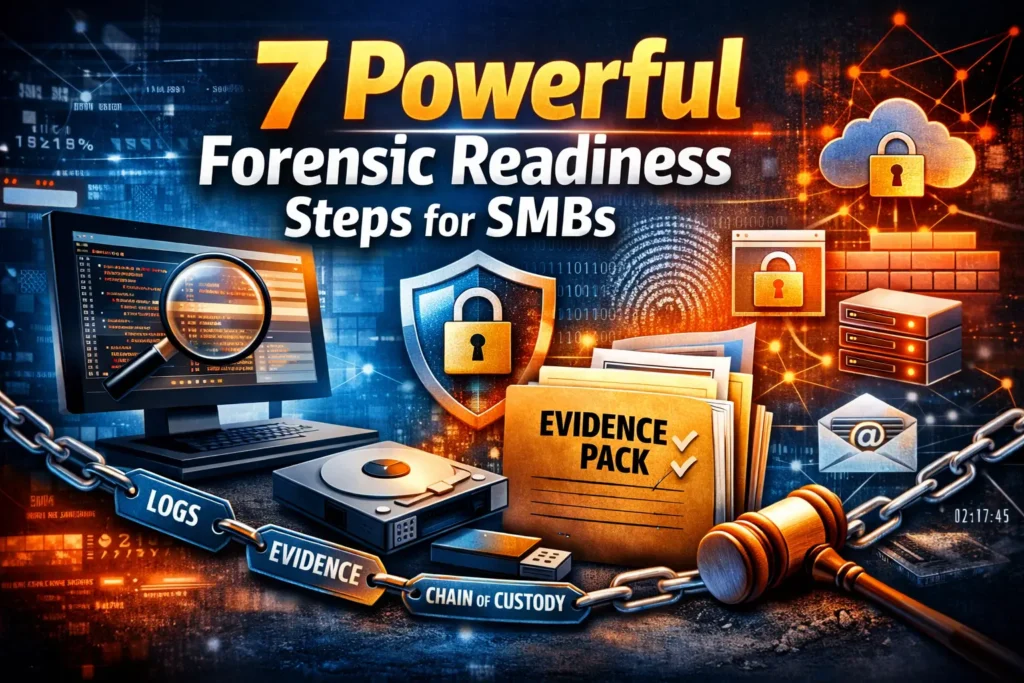
7 Powerful Forensic Readiness Steps for SMBs
What to log, keep, and prove before the next incident (chain of custody + evidence pack)
When an incident hits, most SMBs don’t fail because they “didn’t try hard enough.” They fail because they can’t answer basic, time-sensitive questions with defensible incident response evidence:
- What happened?
- When did it start?
- What systems/accounts were touched?
- What changed?
- Can we prove it?
That’s the point of forensic readiness: building the logging, retention, and evidence-handling habits before an incident—so response is faster, downtime is lower, and decisions stand up to scrutiny (insurance, auditors, legal counsel, customers).
If you want expert support building forensic readiness—or need help right now—start here:
Forensic Analysis Services: https://www.pentesttesting.com/forensic-analysis-services/
DFIR Services: https://www.pentesttesting.com/digital-forensic-analysis-services/
1) What forensic readiness is (and why it saves you)
Forensic readiness is the capability to collect, preserve, and present reliable incident evidence without scrambling. It’s not “more tools.” It’s a repeatable system:
- Visibility: the right logs exist (endpoint, identity, email, cloud, firewall/WAF, CI/CD).
- Retention: logs survive long enough to investigate (and meet compliance/insurance expectations).
- Integrity: evidence is handled in a way you can prove hasn’t been altered (hashes + chain of custody).
- Packaging: evidence is organized into an “Evidence Pack” so leadership and investigators can act quickly.
Why SMBs benefit immediately
- Lower downtime: faster scoping and containment.
- Lower cost: fewer hours wasted guessing.
- Lower legal/contract risk: better auditability and defensible reporting.
- Better remediation: you fix root cause—not symptoms.
If you’re not sure where your gaps are, a scoped assessment helps define priorities quickly:
Risk Assessment Services: https://www.pentesttesting.com/risk-assessment-services/
Want faster breach containment with higher-confidence signals? Our newest post explains endpoint deception strategies—honey users, honey tokens, endpoint traps, and how to connect them to EDR/XDR + SIEM playbooks for rapid response:
https://www.pentesttesting.com/endpoint-deception-strategies/
2) Evidence you’ll wish you had (by source)
Below is a practical digital forensics checklist for what to log and why. You don’t need “everything.” You need high-signal evidence.
A. Endpoint (Windows/macOS/Linux)
Keep:
- Security/auth logs (logons, privilege changes)
- Process execution telemetry (what ran, parent/child relationships)
- PowerShell/scripting logs (where possible)
- EDR alerts + device isolation actions
- Installed software changes + persistence artifacts (scheduled tasks, services, autoruns)
Why it matters: endpoints often show the first execution and persistence actions.
Quick Windows export (PowerShell + built-in tools):
# Run as Admin. Creates an export bundle you can preserve immediately.
$Case = "CASE-" + (Get-Date -Format "yyyyMMdd-HHmmss")
$Out  = "C:\IR\$Case\exports"
New-Item -ItemType Directory -Force -Path $Out | Out-Null

wevtutil epl Security     "$Out\Security.evtx"
wevtutil epl System       "$Out\System.evtx"
wevtutil epl Application  "$Out\Application.evtx"
wevtutil epl "Microsoft-Windows-PowerShell/Operational" "$Out\PowerShell_Operational.evtx"

systeminfo | Out-File "$Out\systeminfo.txt" -Encoding utf8
Get-ComputerInfo | Out-File "$Out\computerinfo.txt" -Encoding utf8
B. Email / Microsoft 365 (or equivalent)
Keep:
- Sign-in logs (interactive and non-interactive)
- Mailbox forwarding + inbox rules changes
- OAuth app grants/consents (where available)
- Admin actions (role changes, security policy modifications)
- Message trace / delivery metadata
Why it matters: many SMB incidents become account takeovers (ATO) and business email compromise patterns.
Mailbox rule & forwarding snapshot (example, PowerShell):
# Example approach for evidence snapshots (requires appropriate admin modules/permissions).
# Export rules/forwarding config into a case folder.
$Out = "C:\IR\M365Evidence"
New-Item -ItemType Directory -Force -Path $Out | Out-Null

# Pseudocode commands; adapt to your tenant tooling:
# Get-Mailbox -ResultSize Unlimited | Select UserPrincipalName,ForwardingAddress,DeliverToMailboxAndForward |
#   Export-Csv "$Out\mailbox_forwarding.csv" -NoTypeInformation
# Get-InboxRule -Mailbox [email protected] | Export-Csv "$Out\inbox_rules_user.csv" -NoTypeInformation
Tip: Forensic readiness is also about documenting what you can’t log due to licensing or tooling—so you compensate elsewhere (e.g., conditional access logs, gateway logs, EDR telemetry).
C. Cloud (AWS/Azure/GCP)
Keep:
- IAM changes (users/roles/policies, access key creation)
- Control plane logs (activity logs, audit logs)
- Object storage access logs (and critical bucket/container changes)
- Kubernetes audit logs (if applicable)
AWS CloudTrail “last 24h” snapshot (AWS CLI):
# Example: export recent management events to JSON for a case folder
mkdir -p ir_exports/cloudtrail
aws cloudtrail lookup-events \
  --start-time "$(date -u -d '24 hours ago' +%Y-%m-%dT%H:%M:%SZ)" \
  --end-time   "$(date -u +%Y-%m-%dT%H:%M:%SZ)" \
  --max-results 50 > ir_exports/cloudtrail/cloudtrail_lookup_last24h.json
D. Firewall / WAF / Reverse proxy
Keep:
- Allowed + blocked requests (especially auth endpoints, admin panels, API gateways)
- Geo/IP patterns, rate-limit triggers, bot mitigations
- TLS handshake metadata (where applicable)
Why it matters: it’s your external “truth” about how attackers reached you.
E. IAM / SSO
Keep:
- Logons, MFA changes, risky sign-ins
- Role changes, group membership changes
- Token issuance anomalies (where you can observe them)
F. CI/CD and code platforms
Keep:
- Build logs and artifact provenance signals
- Deployment history (who deployed what, when)
- Secret scanning alerts, dependency changes, admin actions
- Runner activity logs (self-hosted runners are high value)
GitHub Actions retention note (workflow snippet):
# Example: keep forensic-readiness artifacts (build logs, SBOMs, checks) as evidence.
- name: Upload build evidence
  uses: actions/upload-artifact@v4
  with:
    name: build-evidence
    path: |
      sbom.json
      build.log
      test-results.xml
    retention-days: 90
If you want help hardening after you find gaps, see:
Remediation Services: https://www.pentesttesting.com/remediation-services/
3) Minimum viable retention plan (7/30/90/365-day tiers)
A simple log retention policy that works for most SMBs:
| Tier | Retention | Best for | What to prioritize |
|---|---|---|---|
| Hot | 7 days | fast triage | EDR alerts, auth logs, WAF/firewall, critical admin actions |
| Warm | 30 days | investigations that start late | endpoint security logs, identity/email audit logs, cloud control-plane logs |
| Cold | 90 days | “slow burn” compromises | IAM changes, mail rule history, privileged access logs, CI/CD admin actions |
| Archive | 365 days | audits/insurance/legal/regulatory | summaries + key telemetry + tamper-evident evidence packs |
Windows event log sizing (basic readiness)
If you keep only tiny logs, you’ll overwrite evidence during an incident. Consider increasing sizes:
# Example: increase maximum log size (bytes) to reduce overwrite risk.
# Tune for your environment and disk constraints.
wevtutil sl Security /ms:268435456       # 256MB
wevtutil sl System   /ms:134217728       # 128MB
wevtutil sl Application /ms:134217728    # 128MB
Linux log rotation (example)
# /etc/logrotate.d/forensic-readiness (example)
 /var/log/auth.log /var/log/syslog {
   daily
   rotate 30
   compress
   delaycompress
   missingok
   notifempty
   create 0640 root adm
 }
Forensic readiness tip: wherever possible, centralize logs (SIEM/log server) and protect them from tampering with restricted admin access and immutable storage options.
4) Chain of custody + tamper-evidence basics (SMB-friendly)
Chain of custody answers: who collected what, when, how, and where it was stored—and who had access after.
At minimum, every evidence collection should produce:
- a case ID
- collector identity
- timestamps (UTC preferred)
- source system identifier (hostname/account/tenant)
- collection method/tool and version
- storage location
- hash manifest (SHA-256 is common)
- access log (who handled it after)
Chain of custody record (YAML template)
case_id: CASE-20260210-001
collected_by: "IT Admin - J. Rahman"
collection_utc: "2026-02-10T03:22:10Z"
source:
  type: "Windows endpoint"
  hostname: "FIN-LAPTOP-14"
  user: "[email protected]"
items:
  - path: "exports/Security.evtx"
    sha256: "..."
  - path: "exports/System.evtx"
    sha256: "..."
storage:
  location: "S3://ir-evidence/CASE-20260210-001/"
  access_policy: "IR-Only"
notes: "Device isolated via EDR before export."
Hash manifest generator (Python)
import hashlib
import json
from pathlib import Path

def sha256_file(p: Path) -> str:
    h = hashlib.sha256()
    with p.open("rb") as f:
        for chunk in iter(lambda: f.read(1024 * 1024), b""):
            h.update(chunk)
    return h.hexdigest()

def build_manifest(root: str, out_file: str = "hash_manifest.json") -> None:
    root_path = Path(root).resolve()
    items = []
    for p in root_path.rglob("*"):
        if p.is_file():
            items.append({
                "path": str(p.relative_to(root_path)).replace("\\", "/"),
                "sha256": sha256_file(p),
                "bytes": p.stat().st_size,
            })
    manifest = {"root": str(root_path), "items": sorted(items, key=lambda x: x["path"])}
    Path(out_file).write_text(json.dumps(manifest, indent=2), encoding="utf-8")
    print(f"Wrote {out_file} with {len(items)} items")

# Example:
# build_manifest(r"C:\IR\CASE-20260210-032210")
Forensic readiness rule: treat evidence storage like production secrets—limited access, logged access, and changes detectable.
5) “Evidence Pack” template (what you’ll want ready)
An Evidence Pack is a structured bundle that lets you prove what happened without re-explaining everything. It’s especially useful for SMBs working with MSPs, insurers, compliance teams, or external DFIR.
Evidence Pack folder structure
CASE-YYYYMMDD-HHMMSS/
  00_README_CASE_SUMMARY.md
  01_SCOPE_AND_TIMELINE/
    timeline.csv
    notes.md
  02_ENDPOINT_EVIDENCE/
    windows/
    macos/
    linux/
  03_IDENTITY_EMAIL/
    m365/
    google_workspace/
  04_NETWORK_WAF_FIREWALL/
  05_CLOUD/
    aws/
    azure/
    gcp/
  06_IOCS_AND_HASHES/
    iocs.csv
    hash_manifest.json
  07_REMEDIATION_PROOF/
    patch_proof/
    config_screenshots/
    change_records/
  08_CHAIN_OF_CUSTODY/
    chain_of_custody.yaml
Timeline starter (CSV)
timestamp_utc,source,actor,action,system,details
2026-02-10T03:12:00Z,M365,[email protected],Login success,Entra ID,"New device, new geo"
2026-02-10T03:14:10Z,Endpoint,FIN-LAPTOP-14,Process execution,Windows,"WINWORD -> powershell.exe"
2026-02-10T03:18:30Z,M365,attacker?,Inbox rule created,Exchange,"Forwarding to external address"
Evidence Pack README template (Markdown)
# Case Summary (CASE-YYYYMMDD-HHMMSS)

## What happened (1–2 lines)
- Suspected account takeover with mailbox rule persistence.

## Scope (what is affected)
- Users: [email protected]
- Devices: FIN-LAPTOP-14
- Cloud: M365 tenant

## Key times (UTC)
- Initial suspicious sign-in: 2026-02-10T03:12Z
- Containment: 2026-02-10T03:20Z

## What we preserved
- Windows EVTX logs (Security/System/Application/PowerShell)
- M365 snapshot: mailbox rules + forwarding + sign-in logs (where available)
- WAF logs for /login and /admin endpoints

## Integrity
- SHA-256 hash manifest generated and stored in 06_IOCS_AND_HASHES/hash_manifest.json
- Chain of custody recorded in 08_CHAIN_OF_CUSTODY/chain_of_custody.yaml
Why this matters: the pack becomes your incident response evidence record and your “handoff” if you need to escalate to DFIR.
If you want a professionally prepared evidence pack and investigation report, see:
Forensic Analysis Services: https://www.pentesttesting.com/digital-forensic-analysis-services/
6) When to engage DFIR vs internal IT (decision tree + deliverables)
Internal IT can handle many events—especially if the scope is small and logs are strong. But certain triggers should push you to DFIR quickly.
Decision tree (quick)
Engage DFIR now if any apply:
- You suspect data theft, ransomware, extortion, or regulatory exposure
- You can’t confidently answer scope + timeline
- Privileged accounts/admin consoles were involved
- You see repeated reinfection/persistence
- Insurance/legal/compliance requires defensible handling
- Multiple systems, tenants, or cloud accounts are involved
Internal IT is often sufficient if:
- A single endpoint is affected, quickly isolated
- You have reliable EDR + identity logs
- No privilege escalation, no lateral movement, no sensitive data exposure indicators
- You can preserve evidence before remediation
Typical DFIR deliverables you should expect
- Evidence preservation plan + chain of custody
- Timeline reconstruction (endpoint + identity + cloud + network correlation)
- Root cause and attacker path narrative
- IOC list (domains/IPs/hashes/artefacts where applicable)
- Containment + eradication plan
- Executive-ready report + technical appendix
- Evidence Pack suitable for audits/insurance
Start here if you need urgent help:
DFIR Services: https://www.pentesttesting.com/digital-forensic-analysis-services/
Add this to your forensic readiness routine: external attack surface proof
Forensic readiness isn’t only “after the breach.” It’s also proving you reduced exposure before an incident by maintaining a measurable baseline of your public-facing posture.
Free Website Vulnerability Scanner tool Dashboard

Sample report by the tool to check Website Vulnerability

Free tool (use it as part of readiness evidence): https://free.pentesttesting.com/
If findings need hands-on fixing and verification:
Remediation Services: https://www.pentesttesting.com/remediation-services/
Related recent reads (internal)
- https://www.pentesttesting.com/cve-2026-21509-office-zero-day-triage-dfir/
- https://www.pentesttesting.com/forensic-driven-security-hardening/
- https://www.pentesttesting.com/rapid-dfir-checklist-patch-to-proof/
- https://www.pentesttesting.com/post-patch-forensics-playbook-2026/
- https://www.pentesttesting.com/kev-driven-vulnerability-management-sprint/
Practical next steps (do this this week)
- Pick your 7/30/90/365 retention targets and document them (even if imperfect).
- Confirm you can export core evidence quickly (endpoint + identity + WAF + cloud).
- Implement a basic chain of custody form and hash manifest process.
- Create an Evidence Pack folder template and store it where your team can reach it during an incident.
- Run a baseline external scan and keep “before/after” proof.
Need help making it real in your environment?
Forensic Analysis Services: https://www.pentesttesting.com/digital-forensic-analysis-services/
Risk Assessment Services: https://www.pentesttesting.com/risk-assessment-services/
🔐 Frequently Asked Questions (FAQs)
Find answers to commonly asked questions about Forensic Readiness Steps for SMBs.