7 Powerful Extortion Breach Playbook Steps (ShinyHunters-Style Intrusions)
Extortion threats tied to stolen personal data have shifted the incident-response “win condition.” In many extortion-first breaches, the attacker’s goal isn’t just disruption—it’s credible proof of data access/exfiltration followed by pressure: deadlines, leak threats, and targeted outreach.
This extortion breach playbook is designed to be operational on day one: it helps you minimize time-to-containment while maximizing evidentiary quality for regulators, insurance, and potential litigation—without accidentally destroying the artifacts you’ll need later.
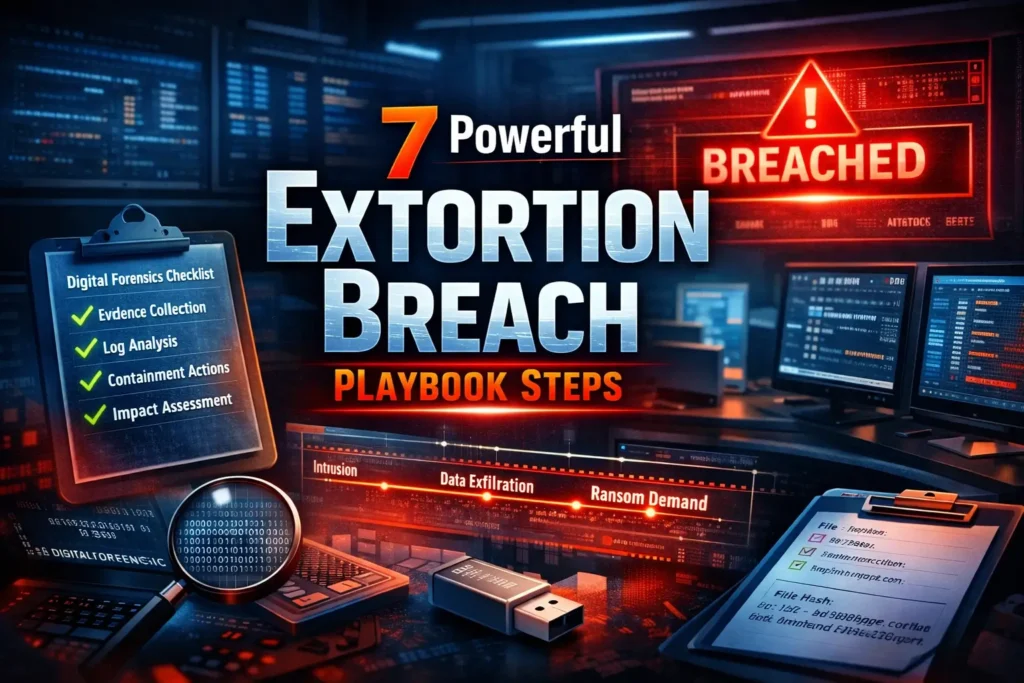
At-a-glance: the 7-step extortion breach playbook
- Freeze the scene (declare incident, stabilize time, protect evidence sources)
- Preserve evidence (logs + cloud trails + volatile capture + chain-of-custody)
- Contain with intent (identity + egress + selective isolation)
- Triage for root cause (timeline + initial access + privilege path + exfil path)
- Confirm impact (what data was accessed and what left the environment)
- Report like it will be audited (internal + customer + regulator-ready artifacts)
- Remediate and retest (risk register updates + validation + quarterly pentests)
Building AI in the cloud? Traditional pentests often miss identity and control-plane risks. Read our latest: 7 Powerful AI Cloud Security Risks Pentests Miss—and learn how modern testing validates real impact across AI services, IAM, and RAG pipelines.
https://www.pentesttesting.com/ai-cloud-security-risks-modern-pentest/
1) Freeze the scene: incident declaration and time discipline
Before you “fix,” decide what you’re preserving:
- Start a decision log and timeline (single source of truth).
- Trigger retention holds where applicable (cloud logs, email, chat, ticketing).
- Record time offsets (NTP drift) across key systems for later correlation.
- Provision restricted evidence storage (immutable retention if available).
Case folder scaffolding (fast + repeatable)
# Create a case directory (Linux/macOS)
CASE_ID="IR-$(date +%Y%m%d)-EXTORTION"
BASE="/srv/ir-cases/$CASE_ID"
mkdir -p "$BASE"/{notes,hashes,logs,pcaps,cloud,images,volatile}
chmod -R 750 "$BASE"
echo "$(date -Is) Created case folder: $BASE" | tee -a "$BASE/notes/decision-log.txt"
2) Preserve evidence: logs, time-correlation, and chain-of-custody basics
In extortion cases, the narrative becomes evidence. Your collection workflow must answer:
- Who collected it?
- What was collected?
- When was it collected?
- From where?
- How was integrity verified?
Prioritize:
- Identity logs (SSO/IAM/VPN/admin consoles)
- Endpoint telemetry (EDR, process trees, persistence)
- App/server logs (web/API/auth/DB access)
- Network telemetry (proxy/firewall/DNS/NetFlow/PCAP)
- Cloud control-plane logs (activity trails) + storage access
Linux rapid log preservation + hashing
# Linux: rapid log preservation (adjust paths for your distro)
OUT="$BASE/logs/$(hostname)-$(date +%Y%m%dT%H%M%S).tar.gz"

sudo tar -czf "$OUT" \
  /var/log/auth.log /var/log/secure \
  /var/log/syslog /var/log/messages \
  /var/log/nginx /var/log/apache2 \
  /var/log/audit 2>/dev/null || true

sudo journalctl --since "7 days ago" > "$BASE/logs/journalctl-$(hostname).log"

sha256sum "$OUT" "$BASE/logs/journalctl-$(hostname).log" | tee -a "$BASE/hashes/sha256.txt"
Windows EVTX export + hashing (PowerShell)
# Windows: export key event logs + hash (PowerShell as Administrator)
$Case = "C:\IR\IR-EXTORTION"
New-Item -ItemType Directory -Force -Path $Case, "$Case\logs", "$Case\hashes" | Out-Null

$logs = @("Security","System","Application","Microsoft-Windows-Sysmon/Operational")
foreach ($l in $logs) {
  $out = Join-Path "$Case\logs" "$($env:COMPUTERNAME)-$l.evtx"
  wevtutil epl $l $out
}

Get-FileHash "$Case\logs\*.evtx" -Algorithm SHA256 | Format-Table -AutoSize |
  Out-String | Set-Content "$Case\hashes\sha256.txt"
Volatile capture (quick wins)
# Linux volatile snapshot (run before reboot/isolation where possible)
{
  date -Is
  hostname
  who
  w
  ps auxww
  ss -plant
  ip a
  ip r
  lsof -nP | head -n 2000
} > "$BASE/volatile/volatile-$(hostname)-$(date +%Y%m%dT%H%M%S).txt"

sha256sum "$BASE/volatile/"*.txt | tee -a "$BASE/hashes/sha256.txt"
# Windows volatile snapshot
$Out = "C:\IR\IR-EXTORTION\volatile-$env:COMPUTERNAME-$(Get-Date -Format yyyyMMddTHHmmss).txt"
"TS: $(Get-Date -Format o)" | Out-File $Out
Get-Process | Sort-Object CPU -Descending | Select-Object -First 50 | Out-File $Out -Append
netstat -ano | Out-File $Out -Append
tasklist /v | Out-File $Out -Append
Get-FileHash $Out -Algorithm SHA256 | Out-String | Out-File "C:\IR\IR-EXTORTION\hashes\sha256.txt" -AppendChain-of-custody ledger (JSONL you can audit)
import json, hashlib, pathlib, datetime

case_dir = pathlib.Path("/srv/ir-cases/IR-20251221-EXTORTION")
ledger = case_dir / "notes" / "chain_of_custody.jsonl"
evidence_file = case_dir / "logs" / "web01-20251221T120501.tar.gz"

def sha256(path: pathlib.Path) -> str:
    h = hashlib.sha256()
    with path.open("rb") as f:
        for chunk in iter(lambda: f.read(1024 * 1024), b""):
            h.update(chunk)
    return h.hexdigest()

entry = {
    "ts": datetime.datetime.utcnow().isoformat() + "Z",
    "collector": "IR Lead",
    "source_system": "web01",
    "item": evidence_file.name,
    "sha256": sha256(evidence_file),
    "action": "Collected and stored to immutable evidence share",
    "notes": "Original untouched; analysis on copies only"
}

with ledger.open("a", encoding="utf-8") as f:
    f.write(json.dumps(entry) + "\n")

print("Logged:", entry["item"])
3) Rapid containment vs. data access continuity (balance both)
In extortion-first breaches, containment must be staged:
- Identity first (sessions/tokens/keys)
- Egress second (exfil routes)
- Selective host isolation (after snapshot/collection when possible)
- App feature clamps (disable exports/admin endpoints temporarily)
Emergency egress clamp (Linux)
# Block outbound to a known-bad IP (example)
BAD_IP="203.0.113.50"
sudo iptables -I OUTPUT -d "$BAD_IP" -j REJECT
sudo iptables -I INPUT  -s "$BAD_IP" -j DROP
Packet capture to preserve evidence of exfil (use responsibly)
# Capture 15 minutes on a suspect server interface (adjust iface/filters)
sudo tcpdump -i eth0 -w "$BASE/pcaps/$(hostname)-$(date +%Y%m%dT%H%M%S).pcap" \
  'tcp port 443 or tcp port 22 or udp port 53' -G 900 -W 1

sha256sum "$BASE/pcaps/"*.pcap | tee -a "$BASE/hashes/sha256.txt"
Cloud trail export (AWS example)
START=$(date -u -d "24 hours ago" +"%Y-%m-%dT%H:%M:%SZ")
END=$(date -u +"%Y-%m-%dT%H:%M:%SZ")

aws cloudtrail lookup-events \
  --start-time "$START" --end-time "$END" \
  --max-results 50 > "$BASE/cloud/cloudtrail-last24h.json"

sha256sum "$BASE/cloud/cloudtrail-last24h.json" | tee -a "$BASE/hashes/sha256.txt"
4) Forensics triage that accelerates root cause identification
Your RCA objective is simple:
- Initial access (how they got in)
- Privilege path (how they escalated)
- Data access + exfil (what/when/how it left)
Timeline building (merge multi-source logs quickly)
import csv, json, glob
from dateutil import parser

events = []

def add_event(ts, source, message, extra=None):
    events.append({"ts": ts.isoformat(), "source": source, "message": message, "extra": extra or {}})

# NGINX CSV exports
for f in glob.glob("exports/nginx/*.csv"):
    with open(f, newline="", encoding="utf-8") as fh:
        r = csv.DictReader(fh)
        for row in r:
            ts = parser.parse(row["time"])
            msg = f'{row["remote_ip"]} {row["method"]} {row["path"]} {row["status"]} {row["bytes"]}'
            add_event(ts, "nginx", msg, {"file": f})

# CloudTrail-like JSON exports
for f in glob.glob("exports/cloudtrail/*.json"):
    data = json.load(open(f, encoding="utf-8"))
    for e in data.get("Events", []):
        ts = parser.parse(e["EventTime"])
        msg = f'{e["EventName"]} by {e.get("Username","unknown")}'
        add_event(ts, "cloudtrail", msg, {"eventId": e.get("EventId")})

events.sort(key=lambda x: x["ts"])
with open("timeline.csv", "w", newline="", encoding="utf-8") as out:
    w = csv.DictWriter(out, fieldnames=["ts","source","message","extra"])
    w.writeheader()
    w.writerows(events)

print("Wrote timeline.csv:", len(events), "events")
Webshell triage (starter YARA pattern)
rule Suspicious_PHP_Webshell_Patterns
{
  meta:
    description = "Detect common PHP webshell patterns (obfuscation + command execution)"
    author = "Pentest Testing Corp"
  strings:
    $eval1 = /eval\s*\(\s*base64_decode\s*\(/ nocase
    $eval2 = /assert\s*\(\s*\$_(POST|GET|REQUEST)\[/ nocase
    $exec1 = /(system|shell_exec|passthru|proc_open)\s*\(/ nocase
    $obf  = /gzinflate\s*\(\s*base64_decode\s*\(/ nocase
  condition:
    2 of ($eval*) or ($exec1 and $obf)
}
5) Confirm impact: accessed vs. exfiltrated (prove it)
Extortion claims often mix truth with bluffing. Your impact statement should be evidence-driven:
- Which identities were used?
- Which systems were accessed?
- Which datasets were touched?
- Is there evidence of export/staging?
- Is there corroborated outbound transfer consistent with exfil?
Database “export pattern” hunting (PostgreSQL)
-- Requires query logging / visibility; tailor to your environment
SELECT
  now() - query_start AS duration,
  usename,
  state,
  query
FROM pg_stat_activity
WHERE query ILIKE '%copy %'
ORDER BY duration DESC
LIMIT 25;
Large outbound transfer hunting (KQL-style example)
DeviceNetworkEvents
| where ActionType in ("ConnectionSuccess","ConnectionAcknowledged")
| summarize TotalBytes = sum(SentBytes) by DeviceName, RemoteUrl, bin(Timestamp, 1h)
| where TotalBytes > 500000000
| sort by TotalBytes desc
6) Reporting playbook: internal, customer, and regulator-ready artifacts
Treat reporting like an engineering deliverable. Build it continuously:
Artifacts that hold up under scrutiny
- Executive incident brief (facts only, status, business impact)
- Technical timeline (timestamps + offsets + evidence references)
- Affected systems/data list (versioned + confidence level)
- IOC package + detection content (queries/rules)
- Chain-of-custody ledger (hashes + transfers)
- Remediation plan (owners, dates, validation proof)
Generate a reusable incident brief (YAML → Markdown)
import yaml, pathlib

case = yaml.safe_load(open("case.yaml", encoding="utf-8"))
md = (
    f"# Incident Brief: {case['case_id']}\n\n"
    f"**Incident type:** {case['incident_type']}\n"
    f"**Detected:** {case['detected_at']}\n"
    f"**Current status:** {case['status']}\n\n"
    "## Summary\n"
    f"{case['summary']}\n\n"
    "## Business impact (known)\n"
    f"{case['impact']}\n\n"
    "## Containment actions (completed / in progress)\n"
    f"{case['containment']}\n\n"
    "## Next 24 hours\n"
    f"{case['next_steps']}\n"
)

path = pathlib.Path("incident-brief.md")
path.write_text(md, encoding="utf-8")
print("Wrote", path)
7) Post-incident remediation loop and risk register updates
Your extortion breach playbook is only “done” when fixes are validated.
- Convert root cause → control gap → remediation workstream
- Track as a risk register item with explicit validation
- Retest the exploited paths as part of quarterly pentests
Risk register item template (YAML)
id: RISK-IR-EXT-001
title: "Unrestricted data export endpoint enabled large-scale extraction"
category: "Broken Access Control / Data Exfiltration"
severity: "High"
affected_assets:
  - "api-prod"
  - "db-prod"
root_cause: "Missing tenant/user authorization checks on export job"
control_gap: "No rate limiting, no per-tenant export quotas, insufficient audit logging"
remediation:
  owner: "Engineering Lead"
  target_date: "2026-01-15"
  actions:
    - "Add tenant-scoped authorization checks"
    - "Implement export quotas + anomaly alerts"
    - "Log exports with request-id and actor-id"
validation:
  - "Retest export endpoints in quarterly API pentest"
  - "Add unit/integration tests for authorization"
To formalize this loop, align remediation to your broader program:
- Use our Risk Assessment Services to map control gaps to compliance and risk priorities.
- Use our Remediation Services to close gaps quickly with audit-ready evidence.
Use our free tool screenshots
Website Vulnerability Scanner Online free tool page

Sample assessment report to check Website Vulnerability

You can access the tool here: Free Website Vulnerability Scanner
Related reading on our blog
If you want adjacent playbooks that pair well with this extortion breach playbook:
- 30-Day Multi-Tenant SaaS Breach Containment Blueprint
- 7 Powerful CISA KEV Remediation Sprint in 30 Days
- 12-Week Fix-First Compliance Risk Assessment Remediation
- 7 Proven AI Red Teaming Steps Auditors Trust
Where to go next
Need a tailored breach response playbook and expert handling after a compromise? Leverage our capabilities:
- Explore risk services
- And remediation options
🔐 Frequently Asked Questions (FAQs)
Find answers to commonly asked questions about the Extortion Breach Playbook.