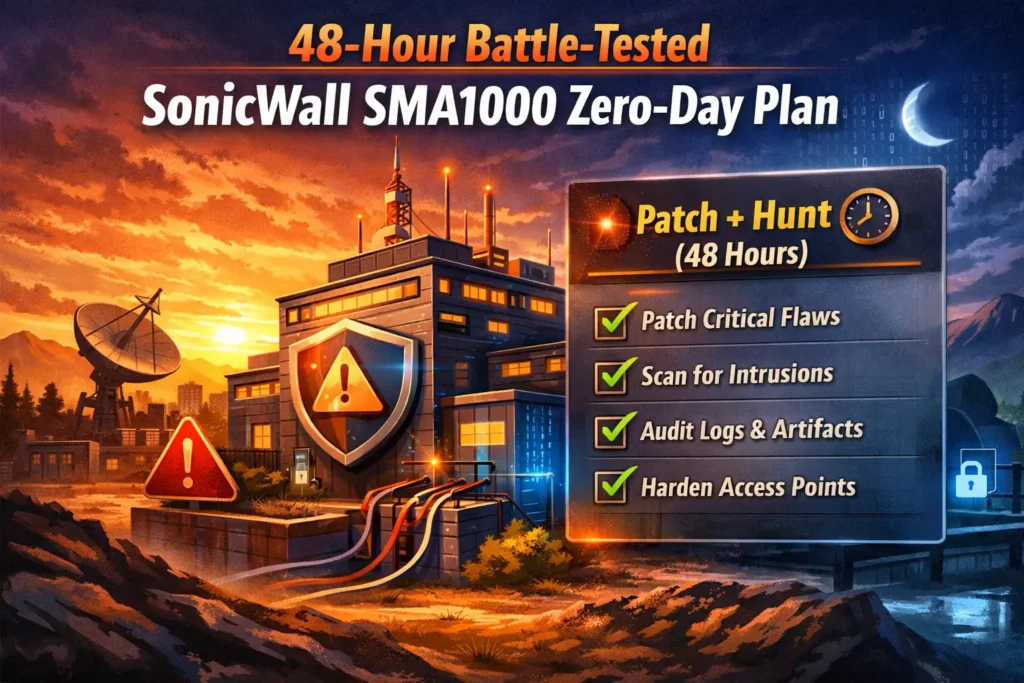
48-Hour Battle-Tested SonicWall SMA1000 Zero-Day Plan
SonicWall SMA 1000 appliances are under real-world pressure again: an actively exploited flaw (CVE-2025-40602) can be chained with CVE-2025-23006 to reach unauthenticated remote code execution (RCE) with root privileges in practical attack paths—especially when AMC/CMC management consoles are exposed.
This post gives you a 48-hour response plan you can execute without guesswork:
- Scope affected assets fast
- Reduce exposure immediately
- Patch safely (with rollback)
- Hunt for compromise and persistence
- Harden remote-access entry points so this doesn’t repeat
Scope note: Run the checks below only on systems you own/manage or have explicit written authorization to test.
If you’re relying on automated tools, this explains why a free vulnerability scanner is not enough—and when startups/SMBs should move from scanning to targeted penetration testing.
https://www.pentesttesting.com/free-vulnerability-scanner-not-enough/
SonicWall SMA1000 Zero-Day 48-hour checklist (copy/paste)
| Timebox | Goal | Do this now |
|---|---|---|
| 0–4 hours | Scope + exposure | Inventory SMA1000s, confirm AMC/CMC reachability (8443/443), flag vulnerable builds |
| 0–24 hours | Contain | Remove internet-exposed management, rotate perimeter admin credentials, increase logging |
| 24–48 hours | Patch + verify | Backup, patch in stages, validate VPN/auth flows, verify fixed builds, keep heightened monitoring |
What the exploit chain means (plain-English)
Think of the chain as “get in → become root → own the box”:
- CVE-2025-23006 is a pre-auth remote command execution issue affecting SMA1000 Appliance Management Console (AMC) and Central Management Console (CMC).
- CVE-2025-40602 is a missing-authorization/privilege escalation issue in the SMA1000 management console that attackers can leverage after initial access.
- When chained, attackers can move from no credentials to root-level execution on a perimeter gateway that often sits one hop from the internal network.
If your SMA1000 is internet-reachable for administration, treat this as a perimeter compromise risk, not “just another patch Tuesday.”
Rapid scoping (first 2–4 hours)
1) Build a verified SMA1000 inventory (single source of truth)
Start with a simple CSV from CMDB, cloud inventory, firewall objects, and VPN documentation.
asset_id,hostname,public_ip,mgmt_port,mgmt_url,firmware_branch,firmware_build,owner,env,criticality,notes
sma-001,sma-prod-1,203.0.113.10,8443,https://203.0.113.10:8443,12.4.3,02804,netops,prod,critical,AMC exposed behind allowlist?
Convert to JSON (useful for tracking, evidence, and diffing):
# build_inventory.py
import csv, json
from datetime import datetime

with open("sma_assets.csv", newline="", encoding="utf-8") as f:
    rows = list(csv.DictReader(f))

payload = {"generated_at": datetime.utcnow().isoformat() + "Z", "assets": rows}
with open("sma_inventory.json", "w", encoding="utf-8") as f:
    json.dump(payload, f, indent=2)

print(f"OK: {len(rows)} SMA assets captured")
2) Confirm external exposure (is AMC/CMC reachable from the internet?)
AMC/CMC commonly runs on port 8443. Check reachability from an approved vantage point.
# TARGETS.txt = public IPs / hostnames (one per line)
nmap -iL TARGETS.txt -sS -sV -Pn --open -p 443,8443,9443,10443 -oA sma-mgmt-exposure
Quick one-liner (useful during bridge calls):
while read -r h; do
  echo "== $h ==";
  for p in 443 8443; do
    timeout 2 bash -c "cat < /dev/null > /dev/tcp/$h/$p" 2>/dev/null \
      && echo "OPEN: $p" || true
  done
done < TARGETS.txt
3) Flag risky firmware builds automatically (fast prioritization)
Use this script to identify devices that are below known fixed builds:
- CVE-2025-23006: fixed in 12.4.3-02854+ (and later)
- CVE-2025-40602: fixed in 12.4.3-03245 (platform-hotfix) and 12.5.0-02283 (platform-hotfix)
# flag_sma_versions.py
import re, csv

SAFE = {
  "12.4.3": 3245,  # CVE-2025-40602 fixed build
  "12.5.0": 2283,
}
MIN_RCE_FIX_1243 = 2854  # CVE-2025-23006 fixed build on 12.4.3 branch

def build_num(build: str) -> int:
    m = re.search(r"(\d{4,5})", build or "")
    return int(m.group(1)) if m else -1

with open("sma_assets.csv", newline="", encoding="utf-8") as f:
    for r in csv.DictReader(f):
        branch = (r.get("firmware_branch") or "").strip()
        b = build_num(r.get("firmware_build"))
        host = r.get("hostname") or r.get("public_ip")

        needs_rce = (branch == "12.4.3" and b != -1 and b < MIN_RCE_FIX_1243)
        needs_lpe = (branch in SAFE and b != -1 and b < SAFE[branch])

        if needs_rce or needs_lpe:
            reasons = []
            if needs_rce: reasons.append("Below CVE-2025-23006 fix (12.4.3-02854+)")
            if needs_lpe: reasons.append("Below CVE-2025-40602 hotfix build")
            print(f"[PATCH NOW] {host} {branch}-{b}: " + "; ".join(reasons))
Tip: If you don’t have build numbers in your CMDB, add them during containment when you log into each device to validate.
0–24 hours: containment (reduce blast radius immediately)
A) Lockdown management exposure (do this even before patching)
Your goal is simple: AMC/CMC must not be reachable from the open internet.
Control options (pick the fastest that matches your environment):
- IP allowlist management access (VPN / jump host ranges only)
- Move management to a dedicated admin network
- Put AMC/CMC behind a reverse proxy + allowlist
- Enforce MFA and remove/disable unused admin accounts
Example: AWS Security Group rule tightening (Terraform pattern)
# Only allow management from your admin/VPN CIDRs
variable "admin_cidrs" { type = list(string) }

resource "aws_security_group_rule" "sma_mgmt_8443" {
  type              = "ingress"
  security_group_id = aws_security_group.sma.id
  from_port         = 8443
  to_port           = 8443
  protocol          = "tcp"
  cidr_blocks       = var.admin_cidrs
  description       = "SMA AMC/CMC management - allowlisted"
}
Example: Nginx allowlist in front of a management UI
server {
  listen 443 ssl;
  server_name sma-mgmt.example.com;

  allow 10.10.0.0/16;        # VPN
  allow 192.168.50.0/24;     # jump host subnet
  deny all;

  location / {
    proxy_pass https://sma-internal:8443;
    proxy_set_header Host $host;
    proxy_set_header X-Forwarded-For $remote_addr;
  }
}
B) Rotate credentials and secrets (focus on “perimeter admin”)
During active exploitation events, assume credential theft is possible.
Minimum rotation set:
- SMA admin accounts (local + directory-backed admins)
- MFA seeds/bypass codes (if applicable)
- VPN auth secrets (RADIUS shared secret, LDAP bind, etc.)
- API keys used for monitoring/backups
Evidence-friendly approach: track changes in YAML.
# change_log.yaml
changes:
  - when_utc: "2026-01-01T05:10:00Z"
    system: "SMA1000 sma-prod-1"
    change: "Restricted AMC/CMC (8443) to VPN CIDRs only"
    owner: "netops"
    ticket: "IR-2026-001"
  - when_utc: "2026-01-01T05:40:00Z"
    system: "SMA1000 sma-prod-1"
    change: "Rotated all local admin passwords; disabled unused accounts"
    owner: "secops"
    ticket: "IR-2026-001"
C) Isolate for investigation if compromise is suspected
If you see signs of compromise (next section), move the device behind a controlled path:
- Restrict outbound internet access from the appliance
- Enable full logging to syslog/SIEM
- Snapshot/backup configs before making more changes
24–48 hours: patch plan (safe execution + rollback)
Patch order (practical):
- Patch internet-exposed devices first
- Patch high-privilege / high-traffic gateways next
- Patch remaining SMA1000 fleet
Pre-patch checklist (do not skip):
- Confirm current firmware branch/build (screenshot it)
- Backup configuration and export logs
- Confirm access via an out-of-band method (console/iLO/DRAC where possible)
- Define rollback criteria (what triggers rollback?)
Staged rollout template:
T+0: Notify stakeholders, freeze changes, open IR bridge
T+1h: Backup config + export logs (store in evidence folder)
T+2h: Patch 1 non-critical SMA, validate auth + VPN flows
T+4h: Patch 1 production SMA, validate, monitor errors for 30–60 minutes
T+6h: Patch remaining production devices (batched)
T+8h: Close window, keep heightened monitoring for 7 days
Compromise assessment (hunt for indicators that matter)
You’re hunting for two things: (1) evidence of exploitation and (2) persistence/config tampering.
What to collect (minimum set)
- AMC/CMC access logs (web UI/admin console)
- Authentication logs (success + failure)
- System/event logs around the exposure window
- Configuration change history (new accounts, MFA changes, admin policy edits)
- Network telemetry: inbound to 8443/443 and outbound connections
“Suspicious but common” indicators to verify
- New admin accounts or admin role changes
- Management access from unusual geos/IP ranges
- Spikes in POST requests to AMC/CMC endpoints
- Unexpected outbound connections from the appliance
- Unplanned reboots or config exports
Example: Splunk SPL (generic perimeter pattern)
index=network (dest_port=8443 OR dest_port=443)
| stats count dc(src_ip) as uniq_src values(src_ip) as sources by dest_ip dest_port
| where uniq_src > 25 AND count > 500
| sort -count
Example: Microsoft Sentinel KQL (generic)
CommonSecurityLog
| where DestinationPort in ("8443","443")
| summarize Count=count(), SrcCount=dcount(SourceIP) by DestinationIP, DestinationPort, bin(TimeGenerated, 1h)
| where SrcCount > 25 and Count > 500
| order by Count desc
Quick log triage pack (file-based, if you export logs)
mkdir -p evidence/log_triage
cp exported_logs/*.log evidence/log_triage/

# Top talkers hitting management ports
grep -E "(:8443|:443)" -h evidence/log_triage/*.log \
  | awk '{print $1}' | sort | uniq -c | sort -nr | head
Hardening checklist for remote-access gateways (post-patch)
Patch stops today’s chain. Hardening reduces next month’s incident.
Non-negotiables
- No internet-exposed management (AMC/CMC behind VPN/jump host)
- MFA everywhere (admin + VPN users)
- Least privilege for admin roles; eliminate shared admin accounts
- Segmentation: remote access terminates in a controlled zone, not “flat LAN”
- Monitoring: log all auth + admin activity to SIEM; alert on anomaly patterns
- Backups: automated, encrypted, and tested for restore
Detection rule ideas that actually work
- Alert on any new admin account / role escalation
- Alert on management logins from new countries/IPs
- Alert on bursts to management ports (8443/443)
- Alert on outbound connections from the appliance to unknown destinations
Add quick visibility with our free assessment tool (optional but useful)
During perimeter incidents, teams often discover they have other risky exposures (headers, admin paths, exposed files) that aren’t in the ticket backlog.
Free Website Vulnerability Scanner Tool page Screenshot:

Sample report from the tool to check Website Vulnerability:

Where a pentest adds value (after patching)
Patching closes known holes. A targeted perimeter pentest verifies:
- There isn’t another exposed management plane
- Auth paths can’t be chained through misconfigurations
- Segmentation holds under real attacker pivots
- Logging/alerting catches the behaviors you care about
If you want a compliance-driven gap review first, start here:
- Risk Assessment Services: https://www.pentesttesting.com/risk-assessment-services/
- Remediation Services: https://www.pentesttesting.com/remediation-services/
Related service pages for perimeter readiness:
- External Network Pentest Testing: https://www.pentesttesting.com/external-network-pentest-testing/
- Internal Network Pentest Testing: https://www.pentesttesting.com/internal-network-pentest-testing/
Related reading from our blog
- https://www.pentesttesting.com/misconfigured-edge-devices-hardening-sprint/
- https://www.pentesttesting.com/cisa-kev-remediation-sprint-in-30-days/
- https://www.pentesttesting.com/webkit-zero-day-48-hour-patch-playbook/
- https://www.pentesttesting.com/extortion-breach-playbook/
🔐 Frequently Asked Questions (FAQs)
Find answers to commonly asked questions about SonicWall SMA1000 Zero-Day Plan.