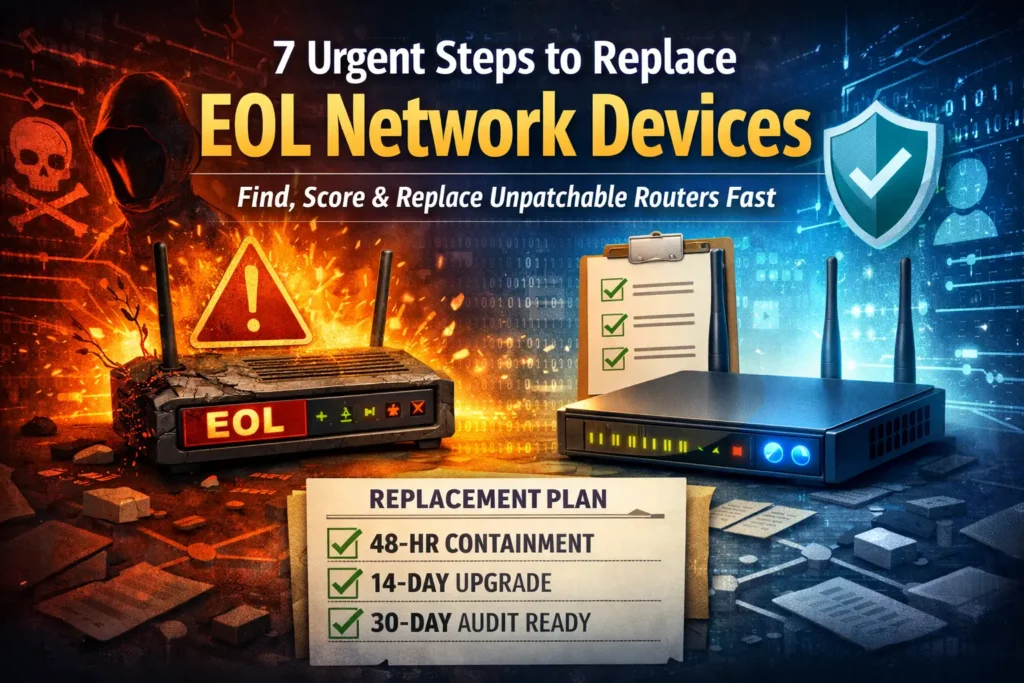
7 Urgent Steps to Replace EOL Network Devices (Before the Next Zero-Day)
“If a device can’t be patched, it’s not a ‘risk’ — it’s a guaranteed future incident.”
That’s the uncomfortable truth about EOL Network Devices (end-of-life routers, gateways, VPN appliances, and “vendor-managed” edge boxes). They don’t just age out of support—they age into favourites of attackers. And when an auditor asks, “How do you manage unpatchable devices?” you need more than a spreadsheet and hope.
This guide is a practical EOL Network Devices replacement + compensating-controls playbook you can run fast—and show as evidence.
If you need SOC 2 / ISO 27001 / PCI-ready patch evidence, follow our step-by-step Audit-Ready Patch Evidence Pack guide: https://www.pentesttesting.com/audit-ready-patch-evidence-pack/
What “EOL” really means (and why attackers love it)
EOL (End of Life) / EOS (End of Support) typically means:
- No more security patches (even for critical RCEs)
- No more firmware updates (or only “best effort”)
- Limited or discontinued vendor advisories
- No guaranteed replacement parts
- “Works fine” until it becomes your next incident
Attackers love EOL Network Devices because:
- Exploits stay valuable longer (no patches)
- Management planes are often exposed “temporarily” and forgotten
- Legacy protocols remain enabled (Telnet, SNMPv2c, HTTP)
- Logging is weak, so compromise is quieter
Reality check: one actively exploited router zero-day on an EOL model can give attackers gateway control, DNS hijacking, traffic interception, and a perfect pivot point into your internal network.
Rapid inventory: where EOL hides (branch routers, lab gear, vendor boxes)
Most teams know their “main” firewalls. They don’t know the weird stuff:
- Branch routers installed years ago
- LTE failover gateways tucked behind racks
- Lab/OT test networks that “temporarily” became permanent
- Vendor-managed appliances (HVAC, access control, POS, VoIP SBCs)
- Old VPN appliances still reachable on a public IP “just for admins”
1) Pull a quick list of “things that look like network devices”
Option A — Nmap discovery + service fingerprinting
# Replace with your internal ranges (run from an authorized admin network)
nmap -sS -sV -O --open -p 22,23,80,443,161,500,4500,1723,3389 \
  10.0.0.0/16 192.168.0.0/16 -oA net-discovery
Option B — ARP sweep on a local subnet (fast + messy, but useful)
# Linux
sudo arp-scan --localnet
Option C — Export DHCP leases (often the fastest “who exists” source)
If you can export DHCP leases to CSV, normalize it and merge into your CMDB/inventory.
2) Identify vendor/model/firmware (the “EOL proof” step)
SNMP sysDescr pull (when SNMP is enabled)
# Read-only SNMP community should be temporary and locked down.
snmpwalk -v2c -c 'REDACTED_COMMUNITY' 10.0.12.1 1.3.6.1.2.1.1.1.0
SSH banner/version grab (safe collection only)
# Replace IPs with known devices; do not brute force credentials.
for ip in $(cat devices.txt); do
  echo "== $ip =="
  timeout 3 bash -c "echo | nc -nv $ip 22 2>/dev/null | head -n 1"
done
3) Build a simple inventory file you can defend to auditors
Create a single “source of truth” CSV:
asset_id,hostname,ip,location,vendor,model,firmware,last_update_date,owner,criticality,exposure,notes
RTR-001,branch-rtr-nyc,203.0.113.10,NYC,D-Link,DSL-XXXX,1.0.0,2021-05-10,NetOps,High,Internet,Remote admin previously enabled
FW-002,hq-fw,198.51.100.20,HQ,FooVendor,SecureGate 5000,7.2.3,2025-12-15,SecOps,Critical,Internet,Supported
Convert CSV → JSON (helps tracking + evidence bundling):
# inventory_to_json.py
import csv, json
from datetime import datetime

with open("network_assets.csv", newline="", encoding="utf-8") as f:
    rows = list(csv.DictReader(f))

payload = {
    "generated_at": datetime.utcnow().isoformat() + "Z",
    "assets": rows
}

with open("network_assets.json", "w", encoding="utf-8") as f:
    json.dump(payload, f, indent=2)

print(f"OK: exported {len(rows)} assets")
Risk scoring that doesn’t lie: exposure, exploitability, criticality
For EOL Network Devices, “severity” isn’t just CVSS. Your real risk is:
- Internet exposure (management plane reachable?)
- Remote admin enabled (VPN admin UI, SSH/HTTPS admin)
- Known exploitability (public exploit/active exploitation trends)
- Business criticality (gateway for a site? production VPN hub?)
- Blast radius (segmented or flat network?)
A practical scoring model (0–100)
Use a simple weighted score your stakeholders understand.
# eol_risk_score.py
def score_device(exposure, remote_admin, known_exploit, criticality, segmentation):
    """
    exposure: 0..25 (internet=25, external partner=18, internal=10, isolated=0)
    remote_admin: 0..20 (enabled=20, limited=10, disabled=0)
    known_exploit: 0..25 (active=25, known=18, unknown=8, none=0)
    criticality: 0..20 (critical=20, high=15, medium=10, low=5)
    segmentation: 0..10 (flat=10, partial=5, strong=0)
    """
    return exposure + remote_admin + known_exploit + criticality + segmentation

example = score_device(
    exposure=25, remote_admin=20, known_exploit=25, criticality=15, segmentation=10
)
print("Risk score:", example)  # 95 (drop-everything-now)
Turn that into an action queue
# prioritize.py
import csv

def bucket(score):
    if score >= 80: return "P0 (Replace/Isolate NOW)"
    if score >= 60: return "P1 (7-day plan)"
    if score >= 40: return "P2 (30-day plan)"
    return "P3 (Track)"

with open("scores.csv", newline="", encoding="utf-8") as f:
    rows = list(csv.DictReader(f))

rows.sort(key=lambda r: int(r["risk_score"]), reverse=True)
for r in rows[:15]:
    print(r["asset_id"], r["risk_score"], bucket(int(r["risk_score"])))
48-hour containment (when you can’t patch): isolate, restrict, monitor
When you discover an unpatchable device, you have two jobs:
- Reduce exposure fast
- Create evidence that you reduced exposure
Containment checklist (fast + defensible)
Within 48 hours:
- Remove public exposure of admin interfaces
- Put management access behind VPN + allowlist
- Disable legacy services (Telnet, HTTP, SNMPv2c)
- Restrict outbound traffic (stop “phone home” & botnet behavior)
- Turn on logging + alerts (auth failures, config changes, DNS changes)
Example: block management ports at the firewall (generic)
# Example (Linux gateway) - adapt to your firewall platform
# Block inbound admin access from the internet
iptables -A INPUT -p tcp --dport 22 -j DROP
iptables -A INPUT -p tcp --dport 443 -m state --state NEW -j DROP
Example: allowlist management only from your admin VPN range
# /etc/nginx/conf.d/mgmt-allowlist.conf
server {
  listen 443 ssl;
  server_name mgmt.example.com;

  # Allow only admin/VPN ranges
  allow 10.10.0.0/16;
  allow 192.168.50.0/24;
  deny all;

  location / {
    proxy_pass https://DEVICE_MGMT_IP;
  }
}
Example: “kill remote admin” verification test (prove it’s not reachable)
# From an external test host (authorized), confirm ports are closed/filtered
nmap -Pn --open -p 22,80,443,8080,8443 YOUR.PUBLIC.IP -oN external-verify.txt
Monitoring quick win: alert on DNS changes (common in router takeovers)
If you can export router config daily, hash it and alert on changes:
# Daily config backup hash (run from your secure admin host)
sha256sum configs/branch-rtr-nyc.cfg >> evidence/config_hash_log.txt
If the device you're containing is also a suspected incident, not just an aging risk, stop before you reset it. Our edge device forensics guide walks through what to preserve before any reset, reimage, or RMA so you don't lose the evidence a regulator or insurer may later ask for.
Replacement sprint plan: 7/14/30-day milestones + evidence artifacts
You need a plan that’s both operational and audit-friendly.
7/14/30 replacement plan (copy/paste)
| Timeline | Goal | What “done” looks like | Evidence to save |
|---|---|---|---|
| 7 days | Contain + decide | No public admin access; replacement model selected | External scan proof, change ticket, before/after screenshots |
| 14 days | Implement | New device staged; segmentation + ACLs validated | Config backups, approval records, validation tests |
| 30 days | Closeout | Old device retired; monitoring confirmed | Decommission record, updated inventory, final validation report |
Evidence pack structure (auditors love this)
evidence/
  01-inventory/
    network_assets.csv
    network_assets.json
  02-risk/
    scoring_method.md
    scores.csv
  03-containment/
    external-verify.txt
    firewall-change-ticket.pdf
    before-after-config/
  04-replacement/
    purchase-approval.pdf
    migration-plan.md
    new-device-config.cfg
    cutover-checklist.md
  05-validation/
    segmentation-test-results.txt
    pentest-validation-summary.pdf
  06-integrity/
    sha256_manifest.txt
Generate a tamper-evident hash manifest:
cd evidence
find . -type f -print0 | sort -z | xargs -0 sha256sum > sha256_manifest.txt
How this maps to audits: vulnerability management + change control + supplier risk
Even if your audit framework changes (SOC 2, ISO 27001, HIPAA, PCI DSS, GDPR), the same expectations show up:
- Asset lifecycle/inventory: you know what you run (and who owns it)
- Vulnerability management: you identify unpatchable risk and reduce exposure
- Change control: changes are approved, tested, and documented
- Supplier risk: vendor-managed devices are governed, not ignored
- Security monitoring: you can detect compromise attempts and config drift
If you want a structured gap review tied to your audit requirements, start here:
Risk Assessment Services → https://www.pentesttesting.com/risk-assessment-services/
And if you want hands-on execution (hardening + evidence kits):
Remediation Services → https://www.pentesttesting.com/remediation-services/
When to bring in pentesting: validate segmentation, VPN paths, exposed admin panels
Containment and replacement are great—but you still need proof that:
- Segmentation actually blocks lateral movement,
- VPN policy doesn’t allow unintended access,
- Admin panels are not reachable externally,
- Misconfigurations aren’t creating new exposure.
That’s where a targeted pentest is perfect:
- external exposure validation (what’s reachable from the internet)
- admin plane testing (MFA, lockouts, weak auth paths)
- segmentation testing (can a compromised subnet reach crown jewels?)
- VPN path testing (split tunnel, route leaks, weak policies)
If you want an audit-ready validation pack, start with a scoped engagement through Pentest Testing Corp:
https://www.pentesttesting.com/
Free Website Vulnerability Scanner tools page

How to use it in your EOL workflow:
While EOL Network Devices are often network-layer problems, attackers frequently pivot through web portals (admin UIs, forgotten dashboards, vendor panels). Use the free scanner to quickly identify exposed web entry points you might not realize are public.
Free tools: https://free.pentesttesting.com/
Sample report to check Website Vulnerability

Tip: Export key findings into your evidence pack (evidence/05-validation/) as supporting documentation alongside your containment and replacement records.
Where Pentest Testing Corp helps (fastest path to “audit-ready”)
If you’re dealing with EOL Network Devices across multiple sites, the fastest wins come from combining:
- risk scoring (so you fix what matters first),
- containment (so you reduce exposure immediately),
- replacement execution (so the risk actually disappears),
- validation testing (so you can prove it).
Start here:
- Risk Assessment Services: https://www.pentesttesting.com/risk-assessment-services/
- Remediation Services: https://www.pentesttesting.com/remediation-services/
CTA: Want us to validate your exposure and write the remediation + replacement plan (with evidence artifacts your auditor can use)?
https://www.pentesttesting.com/contact/
Related reading from our blog
- Misconfiguration hardening sprint: https://www.pentesttesting.com/misconfigured-edge-devices-hardening-sprint/
- KEV remediation sprint approach: https://www.pentesttesting.com/cisa-kev-remediation-sprint-in-30-days/
- 48-hour response playbook example: https://www.pentesttesting.com/sonicwall-sma1000-zero-day-48-hour-plan/
- Another 48-hour patch playbook: https://www.pentesttesting.com/webkit-zero-day-48-hour-patch-playbook/
Browse more: https://www.pentesttesting.com/blog/
FAQs (content-related)
🔐 Frequently Asked Questions (FAQs)
Find answers to commonly asked questions about replacing EOL Network Devices.