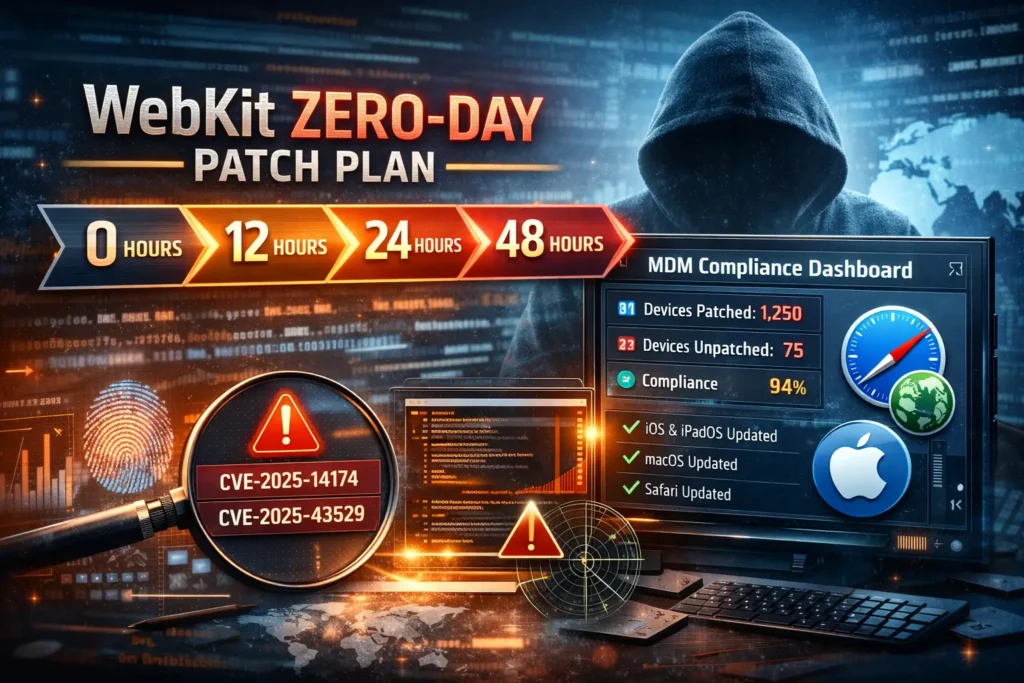
2 Critical WebKit Zero-Days: 48-Hour Patch Plan
Last updated: December 30, 2025
Executive summary (for CISOs and audit owners)
Apple disclosed two WebKit zero-days—CVE-2025-14174 and CVE-2025-43529—that may have been exploited in “extremely sophisticated” targeted attacks. In practical terms, treat this as a rapid patch + verification event for any environment running iOS/iPadOS/macOS/Safari (and other Apple platforms that ship WebKit).
This post gives you a 48-hour enterprise rollout plan: inventory → prioritize → deploy in rings → verify “proof of patch” → hunt for suspicious indicators → package evidence for SOC 2 / ISO 27001.
Key point: Every browser on iOS uses WebKit under the hood, so “we don’t use Safari” is not a risk acceptance statement. WebKit exposure is broad.
New Playbook: SonicWall SMA1000 Zero-Day — 48-Hour Patch, Hunt & Hardening Plan
Read now: https://www.pentesttesting.com/sonicwall-sma1000-zero-day-48-hour-plan/
What happened (and why WebKit exposure is broad)
WebKit is the browser engine used by Safari, and it also powers web rendering for many apps. When WebKit is hit with a zero-day, the blast radius often includes:
- User web browsing (Safari)
- In-app browsers / embedded web views
- Links opened from email/chat apps
- Admin portals accessed from mobile devices
The two CVEs to track in your incident/change record:
- CVE-2025-14174 (WebKit) — addressed with improved validation/memory handling.
- CVE-2025-43529 (WebKit) — addressed with improved validation/memory handling.
Patch targets (baseline):
- iOS 26.2 / iPadOS 26.2
- macOS Tahoe 26.2
- Safari 26.2 (macOS Sonoma/Sequoia) (and ensure macOS is patched too)
If you run mixed Apple estates, assume you have multiple update trains (iOS, iPadOS, macOS, Safari). Your job is to patch fast and produce an evidence trail that can survive audit scrutiny.
The 0–48 hour enterprise playbook (high-level timeline)
Hour 0–4 — Inventory & scope
- Confirm affected Apple populations (iPhone/iPad/Mac)
- Identify high-risk users (execs, finance, admins, SOC, HR, anyone handling sensitive data)
- Pull current OS/Safari versions from MDM
Hour 4–12 — Rollout strategy
- Decide ring/phased deployment model
- Communicate change window, user actions, and rollback path
- Push updates via MDM where supported; schedule forced updates for high-risk groups
Hour 12–24 — Verification (“proof of patch”)
- Export MDM compliance reports
- Run spot checks for OS + Safari version
- Document exceptions + compensating controls
Hour 24–48 — Detection & hunting
- Look for WebKit/Safari crash spikes
- Review EDR alerts tied to Safari/WebKitWebContent process activity (macOS)
- Triage suspicious browsing/in-app link events for high-risk users
Hour 0–4: Inventory + scope (with real, copy/paste code)
1) Build a single “Apple exposure” inventory export
Minimum fields to pull from MDM:
- device_id, device_name, platform (iOS/iPadOS/macOS), user, department
- OS version, last check-in, compliance state
- For macOS: Safari version if your tool can capture app inventory
Option A — Microsoft Intune (Graph) quick export (PowerShell)
# Requires: Microsoft.Graph module
# Install-Module Microsoft.Graph -Scope CurrentUser
Connect-MgGraph -Scopes "DeviceManagementManagedDevices.Read.All"

# Pull iOS/iPadOS/macOS managed device inventory (basic)
$devices = Get-MgDeviceManagementManagedDevice -All |
  Select-Object Id,DeviceName,OperatingSystem,OsVersion,UserPrincipalName,ComplianceState,LastSyncDateTime

$devices | Export-Csv ".\apple_inventory_intune.csv" -NoTypeInformation
Write-Host "Saved apple_inventory_intune.csv ($($devices.Count) rows)"
Option B — Jamf Pro inventory export (API pattern with cURL)
# Jamf Pro API example (adjust your Jamf URL and credentials/token flow)
JAMF_URL="https://jamf.example.com"
TOKEN="REDACTED"

# macOS computers inventory (newer API endpoints vary by Jamf version)
curl -s -H "Authorization: Bearer $TOKEN" \
  "$JAMF_URL/api/v1/computers-inventory?section=GENERAL&sort=id:asc&page=0&page-size=200" \
  | jq -r '.results[] | [.id,.general.name,.general.platform,.general.osVersion,.general.lastInventoryUpdate] | @csv' \
  > jamf_macos_inventory.csv

# Mobile devices (iPhone/iPad)
curl -s -H "Authorization: Bearer $TOKEN" \
  "$JAMF_URL/api/v2/mobile-devices?page=0&page-size=200&sort=id:asc" \
  | jq -r '.results[] | [.id,.name,.osVersion,.lastInventoryUpdate] | @csv' \
  > jamf_ios_ipados_inventory.csv
2) Risk-based prioritization (who gets patched first)
Create a “priority” column and sort your rollout by:
- Tier 0: executives, admins, security staff, finance, anyone with privileged access
- Tier 1: customer data handlers, sales ops, HR
- Tier 2: remaining endpoints
A simple, audit-friendly way: keep a signed list of the Tier 0 roster and attach it to the change ticket.
Hour 4–12: Rollout strategy (rings, comms, rollback)
Ring deployment model (recommended)
- Ring 0 (pilot): IT/MDM team + small set of power users (30–60 minutes)
- Ring 1 (high risk): Tier 0 roles (same day)
- Ring 2 (broad): everyone else (next business day)
- Ring 3 (stragglers): forced update + access restrictions (after 48 hours)
Store the ring definition in version control (or at least attach it to the ticket):
# webkit_zero_day_rollout.yaml
incident: "WebKit zero-day response"
cves: ["CVE-2025-14174", "CVE-2025-43529"]
deadline_hours: 48
rings:
  - name: "Ring 0"
    description: "IT/MDM pilot"
    target_percent: 2
    start: "T+4h"
  - name: "Ring 1"
    description: "Tier 0 (exec/admin/security/finance)"
    target_percent: 15
    start: "T+6h"
  - name: "Ring 2"
    description: "All remaining users"
    target_percent: 75
    start: "T+12h"
  - name: "Ring 3"
    description: "Enforce for stragglers + exceptions"
    target_percent: 8
    start: "T+36h"
macOS update automation (scriptable fallback)
If you have Macs that aren’t reliably updating through MDM, push a scripted remediation (with change approval).
#!/usr/bin/env bash
set -euo pipefail

# Trigger macOS updates (requires admin)
sudo softwareupdate --install --all --restart --force

# After reboot, print OS + Safari version for evidence collection
echo "OS: $(sw_vers -productVersion)"
/usr/bin/defaults read /Applications/Safari.app/Contents/Info.plist CFBundleShortVersionString \
  | awk '{print "Safari: " $0}'
End-user comms template (short + effective)
- What happened: “WebKit zero-day; emergency update required.”
- What to do: “Update now; keep device on Wi-Fi + power; reboot when prompted.”
- What’s changing: “Some access may be restricted for devices that remain unpatched after 48 hours.”
Hour 12–24: Verification (“proof of patch” you can show auditors)
1) Define “patched” as a policy, not a feeling
For this event, your organization should record something like:
- iOS/iPadOS: OS version ≥ 26.2
- macOS: OS version ≥ 26.2 (TBD by your fleet’s supported macOS train)
- Safari on macOS: Safari ≥ 26.2 (where applicable)
2) Generate an MDM compliance scoreboard (Python)
Export your MDM inventory CSV, then summarize compliance and produce an exception list.
# webkit_patch_compliance.py
import csv
from collections import Counter
from packaging.version import Version

REQUIRED = {
    "iOS": Version("26.2"),
    "iPadOS": Version("26.2"),
    "macOS": Version("26.2"),
}

def norm_os(os_name: str) -> str:
    os_name = (os_name or "").lower()
    if "ipad" in os_name: return "iPadOS"
    if "ios" in os_name or "iphone" in os_name: return "iOS"
    if "mac" in os_name: return "macOS"
    return "Other"

def v(x: str) -> Version:
    # keep major.minor(.patch) only
    import re
    parts = re.split(r"[^0-9.]", x or "")
    return Version(next((p for p in parts if p), "0"))

import re
rows = list(csv.DictReader(open("apple_inventory_intune.csv", newline="", encoding="utf-8")))

counts = Counter()
exceptions = []

for r in rows:
    osn = norm_os(r.get("OperatingSystem") or r.get("platform") or "")
    osv = v(r.get("OsVersion") or r.get("osVersion") or "")
    if osn in REQUIRED:
        ok = osv >= REQUIRED[osn]
        counts[(osn, "patched" if ok else "unpatched")] += 1
        if not ok:
            exceptions.append({
                "device": r.get("DeviceName") or r.get("device_name"),
                "user": r.get("UserPrincipalName") or r.get("user"),
                "os": osn,
                "version": str(osv),
                "last_sync": r.get("LastSyncDateTime") or r.get("last_checkin"),
            })
    else:
        counts[(osn, "ignored")] += 1

print("=== WebKit zero-day compliance summary ===")
for osn in ["iOS","iPadOS","macOS"]:
    print(osn, dict(patched=counts[(osn,"patched")], unpatched=counts[(osn,"unpatched")]))

with open("webkit_exceptions.json","w",encoding="utf-8") as f:
    import json
    json.dump(exceptions, f, indent=2)

print(f"Saved webkit_exceptions.json ({len(exceptions)} devices)")
Tip: Save both the raw MDM export and the summarized outputs, then hash them (see evidence pack section).
3) Spot-check commands (macOS)
# OS version
sw_vers

# Safari version
defaults read /Applications/Safari.app/Contents/Info.plist CFBundleShortVersionString

# Confirm last update history (useful for “proof”)
softwareupdate --history | tail -n 20
Hour 24–48: Detection & hunting (what to look for)
1) Hunt for Safari/WebKit crashes (macOS unified logs)
# Last 48 hours: Safari + WebKitWebContent crash patterns
log show --last 48h --style syslog \
  --predicate '(process == "Safari" OR process == "WebKitWebContent") AND (eventMessage CONTAINS[c] "crash" OR eventMessage CONTAINS[c] "EXC_")' \
  | tail -n 200
2) EDR/SIEM queries (generic examples)
Microsoft Sentinel KQL (process events):
DeviceProcessEvents
| where Timestamp > ago(48h)
| where FileName in~ ("Safari","WebKitWebContent","com.apple.WebKit.Networking")
| summarize cnt=count(), devices=dcount(DeviceName) by FileName
| order by cnt desc
Splunk SPL (macOS process telemetry):
index=endpoint earliest=-48h (process_name=Safari OR process_name=WebKitWebContent)
| stats count dc(host) as hosts values(user) as users by process_name
| sort - count
3) Triage workflow (fast, repeatable)
For any high-risk user device that is still unpatched or shows abnormal crash/EDR signals:
- Force update and reboot
- Review recent inbound link sources (email/chat) and unusual domains in proxy/DNS logs
- If warranted: isolate the device, collect EDR triage package, and reset browser sessions
Hardening add-ons (reduce exposure after patch)
Lockdown Mode for high-risk roles
For executives/admins who are frequent targets, consider enabling Lockdown Mode as a temporary “high alert” control during zero-day windows, along with:
- strict app allowlists (where feasible)
- reduced in-app link opening
- browser isolation for admin consoles
Browser isolation for privileged portals
If your finance/admin systems are web-based, isolate browsing for those portals (VDI, remote browser, or hardened dedicated browser profile) to reduce the impact of a WebKit zero-day class event.
Audit-ready evidence pack (SOC 2 / ISO 27001 friendly)
Create a single folder per incident. Example:
/incident-webkit-zero-day-2025-12/
  00-change-ticket/
  01-inventory-exports/
  02-rollout-plan/
  03-compliance-exports/
  04-exceptions-and-approvals/
  05-detection-hunting/
  06-management-signoff/
  manifest-sha256.txt
Generate a tamper-evident manifest:
# From inside the incident folder
find . -type f -maxdepth 3 -print0 | sort -z | xargs -0 shasum -a 256 > manifest-sha256.txt
Exceptions register (minimum):
- device_id, user, reason, compensating control, approved_by, expiry_date
Free Security tool Screenshot callouts
Free Website Vulnerability Scanner tool Dashboard

Sample assessment report to check Website Vulnerability

Where Pentest Testing Corp helps (patch → validate → prove)
If you need hands-on support beyond patching—especially for verification, evidence, and risk reduction—we can help with:
- Risk Assessment Services: https://www.pentesttesting.com/risk-assessment-services/
- Remediation Services: https://www.pentesttesting.com/remediation-services/
Related reading from our blog
- Misconfigured Edge Devices Hardening Sprint: https://www.pentesttesting.com/misconfigured-edge-devices-hardening-sprint/
- CISA KEV Remediation Sprint in 30 Days: https://www.pentesttesting.com/cisa-kev-remediation-sprint-in-30-days/
- React2Shell 48-Hour Fix Playbook: https://www.pentesttesting.com/react2shell-cve-2025-55182-fix-steps/
- AI Cloud Security Risks Pentests Miss: https://www.pentesttesting.com/ai-cloud-security-risks-modern-pentest/
- SEC Cyber Disclosure 8-K Playbook: https://www.pentesttesting.com/sec-cyber-disclosure-8k-playbook/
🔐 Frequently Asked Questions (FAQs)
Find answers to commonly asked questions about Critical WebKit Zero-Days.